Can't boot on Win 8 after installing Ubuntu : "A required device isn’t connected or can’t be accessed"
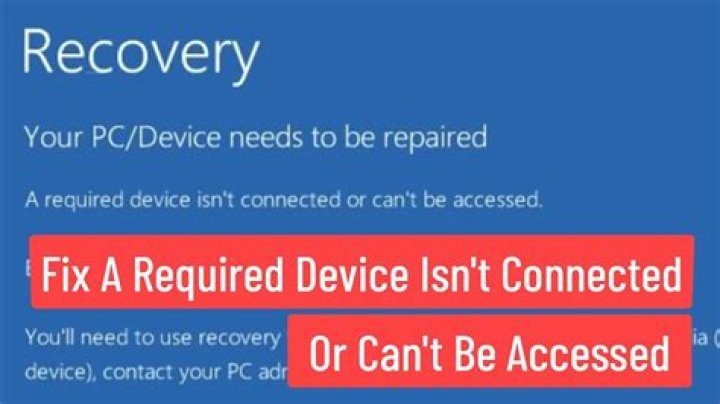
I have a lot of troubles setting up a dual boot on my new computer.
After I set up and wired up the hardware I installed W8 as I guessed it would be harder to install with Ubuntu already installed.
I created 2 partitions 15GB for Ubuntu and 95GB for W8.
Then I installed Ubuntu 14.04, carrebully following the dual boot installation guide from french Ubuntu site
Grub was showing up with 5 entries, Ubuntu, Memory test x2, W8 loader, W8 recovery. I'm able to boot smoothly on Ubuntu but not on W8 : I get a "A required device isn’t connected or can’t be accessed." error.
--
I googled a lot of stuff and tried differents ways to fix it but I still can't make it :(
- I ran boot-repair (here's the report)
- I disabled FastBoot / SecureBoot in my BIOS
- I changed my BIOS to Legacy mode
- I tried to repair W8 with Windows Recovery tools : nothing working, I can't even start the repair process
- I ran chkdsk, it reported no error
--
Other informations that might help :
- os-prober returns / detects nothing
- os detection from Windows Recovery tools detects nothing
- not 100% sure : I might forgot to turn off W8 hibernate feature before installing Ubuntu
- Here are my full hardware details
1 Answer
Your configuration is strange, and that strangeness may hide a problem. You have:
- Two hard disks (no problem there).
- It appears that
/dev/sdcis a Windows installation disk that you haven't unplugged. This also is not a real problem. /dev/sdais partitioned with MBR and seems to hold Windows. This implies that Windows is booting in BIOS/CSM/legacy mode; however, the MBR of the disk holds SYSLINUX, not the Windows boot loader./dev/sdbis partitioned using GPT and seems to hold Ubuntu. It has a BIOS Boot Partition, which also implies a BIOS-mode installation of Ubuntu.
Although it's legal to mix MBR and GPT, and to use GPT on a disk that boots Linux in EFI mode, this setup is unconventional. The fact that SYSLINUX is on the MBR of /dev/sda may be an issue, although IIRC, SYSLINUX can chainload to a Windows boot loader located elsewhere.
It's possible that your Windows recovery tools are being thrown by the GPT /dev/sdb. If so, unplugging it and attempting a recovery may work. You could also try asking about this on a Windows forum, since the Windows boot failure is basically a Windows issue. (Although the presence of SYSLINUX might be part of the problem, the solution if this is the case will be to re-install the Windows boot loader on /dev/sda, which is a Windows-specific solution.)
If you can't get that to work, you could switch your approach radically and re-install both Windows and Ubuntu in EFI mode: Disable the Compatibility Support Module (CSM) in the firmware, wipe both disks clean, and re-install both OSes. (It is possible to convert both from BIOS-mode to EFI-mode booting, but that will likely take more effort than re-installing.) See my page on the subject for why the CSM can create problems. I don't think the CSM is fundamentally the issue for you, but switching to an EFI-mode boot will likely bypass whatever the issue actually is, so it's worth trying if you can't find another solution.
More in general

"Zoraya ter Beek, age 29, just died by assisted suicide in the Netherlands. She was physically healthy, but psychologically depressed. It's an abomination that an entire society would actively facilitate, even encourage, someone ending their own life because they had no hope. Th…"

