Can't install Windows 7 on SSD drive
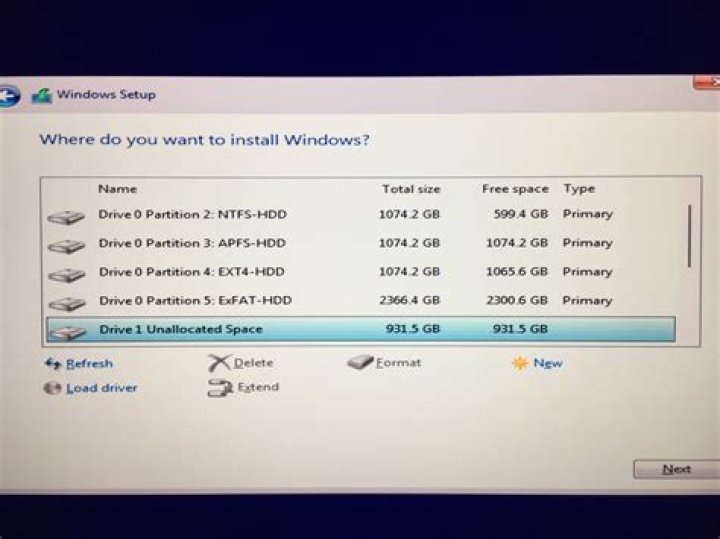
I am trying to install Windows 7 Ultimate 64-bit on an OCZ SSD Agility 3 60GB, and the drive isn't recognized in the disk management utility of Windows instalation.
I just bought an Intel Motherboard DH67CL, and an Intel Core i3 processor. My BIOS was just updated...
If i run Windows on a normal HDD, it recognizes my SSD drive, no problem. Does anyone know what the problem is?
33 Answers
This seems to be about a similar issue so it might be worth a look. It describes an issue with installing Windows onto a disk with an invalid MBR/boot sector where Windows won't install.
This is the suggested resolution:
6
Boot up Windows 7 disc.
When the welcome screen comes up on Windows Setup, press Shift + F10, which will display a command prompt.
Type
diskpartand press enter.Type
list diskand press enter.Hopefully you can see your SSD in the list. You should see a number identifying it. Now type
select disk X(whereXis the number identifying your SSD) and press enter.Type
cleanand press enter. This will write a blank MBR, YOU WILL LOSE ANY DATA ON THE SSD if you did have anything on it.
I updated firmware for intel ssd disk by maiking bootable flash with firmware iso. It takes 30 seconds. Then windows was successfully installed on ssd disk.
Disconnect all your other drives. It worked for me.
1

