can't use vim from Putty ssh session
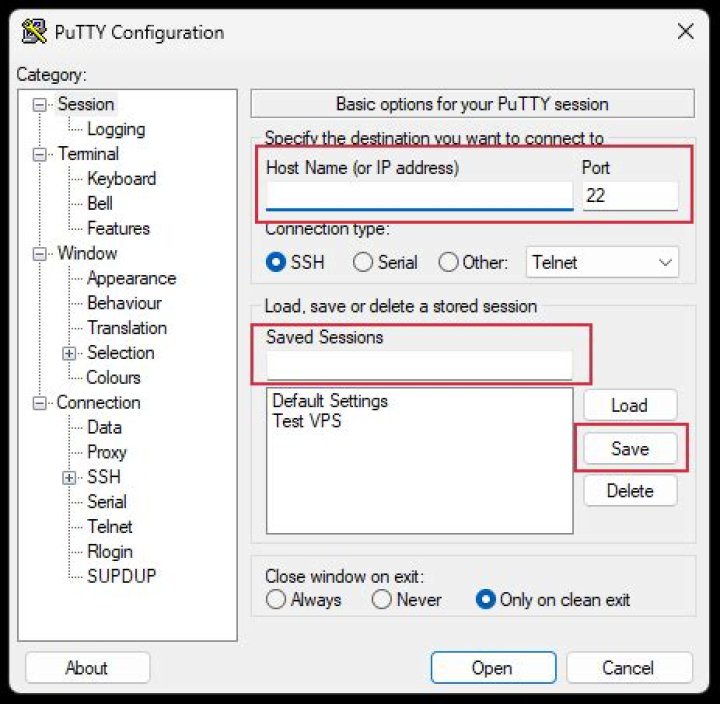
I've successfully set up vim on my remote machine to work with telnet, in 256 colors. However, I'm not able to make it work on ssh, even with the simplest configuration (no colors, just simple vim on ssh). I don't know if I've broken it with the color config, or it never worked.
That is, vim starts, but it freezes, it does not accept any commands: i, [Esc], :q, [Ctrl]-C... Nothing.
Here you have some additional info:
- vi works, but it is not an alias for a vim launch, it points to /bin/vi executable
- TERM is set to vt100
- I launch vim as: vim -u NONE -U NONE
- I've tried both -v (vi -compatible) and regular vim
My .profile:
set -o emacs
export TERM=vt100
#export TERM=xterm-256color
export HOME=/home/node.mgr
export JAVA_HOME=...
export PATH=$PATH:$JAVA_HOME/bin:.:$HOME/scripts
#
# bindings per i tasti direzione
# vedi
case $- in
*i*) #interactive ksh # This stuff lets the arrow keys work in an xterm... alias __A=`echo "\020"` # up arrow == ^p == back a command alias __B=`echo "\016"` # dn arrow == ^n == down a command alias __C=`echo "\006"` # rt arrow == ^f == forward a character alias __D=`echo "\002"` # lf arrow == ^b == back a character
esac
cd $HOMEEdit:In reply to @RedGrittyBrick
stty output:
> stty -a
speed 38400 baud;
erase = ^H; kill = ^X; intr = ^C; quit = ^\; susp = ^Z; eof = ^Y
eol = ^M; stop = ^S; start = ^Q
-parenb -parodd cs7 -cstopb hupcl cread -clocal
ignbrk -brkint ignpar -parmrk -inpck istrip -inlcr -igncr icrnl
ixon -ixoff
isig icanon echo echoe echok echonl -noflsh
-tostop -iexten
opost -ocrnl
Besides,
- "Resetting Terminal" via PuTTY doesn't work
- I can't find "Are you there" command; I'm using PuTTY v0.61.
- vim --version | grep terminfo gives: ... +terminfo...
- Sending SIG* via PuTTY menu has no effect
- changing TERM to xterm (both in env variable and in Putty session config) has no effect
Edit: In reply to @BlakBat
echo $DISPLAY gives empty string
> uname -a
NONSTOP_KERNEL svimi2 H06 20 NSE-A
> cat .vimrc
set nocompatible
set incsearch
set smartcase
set scrolloff=2
set wildmode=longest,list
set number
set nuw=6
set tabstop=4
set shiftwidth=4
set expandtab
set softtabstop=4
set autoindent
colorscheme elflord
syntax on
filetype plugin on
:let mapleader = ","
"fix backspace
:set t_kb
:fixdel2 Answers
- The native terminal type for Putty (default config) is "xterm" not "vt100".
- You shouldn't need to hardcode TERM in .profile.
- Use
stty intr ^Con server to specify what Ctrl+C does. - Putty has a "Reset Terminal" option in its menu
- Putty's menu has a "Special Command" of "Are you there" (the answer is "[YES]").
- I don't see how those aliases could work, Putty doesn't send __A.
Modern vi uses terminfo to find an initialisation string to send to Putty. Your install of vim might be using termcap instead (see vim --version | grep terminfo: the result should include either -terminfo or +terminfo)
What is the 'uname -a' output of your machine?
Otherwise, do not set up TERM inside your profile. You can set it up in PuTTY's configuration windows. Depending on the remote system, you might want to try setting "TERM=putty".
When you launch vim, it might try to connect to a X session, what is the output of "echo $DISPLAY" ?
To turn colors on in vim, you must issue the 'syntax on' command, which can be put inside your .vimrc file?
2More in general

"Zoraya ter Beek, age 29, just died by assisted suicide in the Netherlands. She was physically healthy, but psychologically depressed. It's an abomination that an entire society would actively facilitate, even encourage, someone ending their own life because they had no hope. Th…"

