ClassNotFound exception when attempting to load Minecraft backpack [closed]
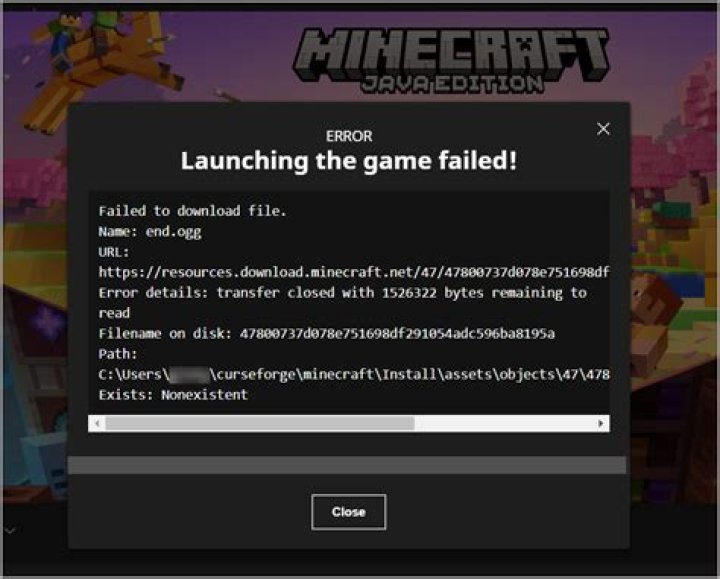
I am a total novice and posting for my child who downloaded a new mod and seemed to mess up her forge/backpack/mca. I think in trying to fix, I probably messed it up more. Here is the error report:
Description: There was a severe problem during mod loading that has caused the game to fail
cpw.mods.fml.common.LoaderException: java.lang.ClassNotFoundException: backpack.Backpack at cpw.mods.fml.common.ProxyInjector.inject(ProxyInjector.java:75) at cpw.mods.fml.common.FMLModContainer.constructMod(FMLModContainer.java:519) at sun.reflect.NativeMethodAccessorImpl.invoke0(Native Method) at sun.reflect.NativeMethodAccessorImpl.invoke(NativeMethodAccessorImpl.java:39) at sun.reflect.DelegatingMethodAccessorImpl.invoke(DelegatingMethodAccessorImpl.java:25) at java.lang.reflect.Method.invoke(Method.java:597) at com.google.common.eventbus.EventHandler.handleEvent(EventHandler.java:74) at com.google.common.eventbus.SynchronizedEventHandler.handleEvent(SynchronizedEventHandler.java:45) at com.google.common.eventbus.EventBus.dispatch(EventBus.java:313) at com.google.common.eventbus.EventBus.dispatchQueuedEvents(EventBus.java:296) at com.google.common.eventbus.EventBus.post(EventBus.java:267) at cpw.mods.fml.common.LoadController.sendEventToModContainer(LoadController.java:194) at cpw.mods.fml.common.LoadController.propogateStateMessage(LoadController.java:174) at sun.reflect.NativeMethodAccessorImpl.invoke0(Native Method) at sun.reflect.NativeMethodAccessorImpl.invoke(NativeMethodAccessorImpl.java:39) at sun.reflect.DelegatingMethodAccessorImpl.invoke(DelegatingMethodAccessorImpl.java:25) at java.lang.reflect.Method.invoke(Method.java:597) at com.google.common.eventbus.EventHandler.handleEvent(EventHandler.java:74) at com.google.common.eventbus.SynchronizedEventHandler.handleEvent(SynchronizedEventHandler.java:45) at com.google.common.eventbus.EventBus.dispatch(EventBus.java:313) at com.google.common.eventbus.EventBus.dispatchQueuedEvents(EventBus.java:296) at com.google.common.eventbus.EventBus.post(EventBus.java:267) at cpw.mods.fml.common.LoadController.distributeStateMessage(LoadController.java:105) at cpw.mods.fml.common.Loader.loadMods(Loader.java:509) at cpw.mods.fml.client.FMLClientHandler.beginMinecraftLoading(FMLClientHandler.java:181) at net.minecraft.client.Minecraft.func_71384_a(Minecraft.java:471) at net.minecraft.client.Minecraft.func_99999_d(Minecraft.java:806) at net.minecraft.client.main.Main.main(SourceFile:101) at sun.reflect.NativeMethodAccessorImpl.invoke0(Native Method) at sun.reflect.NativeMethodAccessorImpl.invoke(NativeMethodAccessorImpl.java:39) at sun.reflect.DelegatingMethodAccessorImpl.invoke(DelegatingMethodAccessorImpl.java:25) at java.lang.reflect.Method.invoke(Method.java:597) at net.minecraft.launchwrapper.Launch.launch(Launch.java:57) at net.minecraft.launchwrapper.Launch.main(Launch.java:18)
Caused by: java.lang.ClassNotFoundException: backpack.Backpack at net.minecraft.launchwrapper.LaunchClassLoader.findClass(LaunchClassLoader.java:94) at java.lang.ClassLoader.loadClass(ClassLoader.java:306) at java.lang.ClassLoader.loadClass(ClassLoader.java:247) at cpw.mods.fml.common.ModClassLoader.loadClass(ModClassLoader.java:58) at java.lang.Class.forName0(Native Method) at java.lang.Class.forName(Class.java:249) at cpw.mods.fml.common.ProxyInjector.inject(ProxyInjector.java:42) ... 33 more
A detailed walkthrough of the error, its code path and all known details is as follows:
---------------------------------------------------------------------------------------
-- System Details --
Details: Minecraft Version: 1.6.2 Operating System: Mac OS X (x86_64) version 10.7.5 Java Version: 1.6.0_65, Apple Inc. Java VM Version: Java HotSpot(TM) 64-Bit Server VM (mixed mode), Apple Inc. Memory: 40509584 bytes (38 MB) / 117997568 bytes (112 MB) up to 1065025536 bytes (1015 MB) JVM Flags: 1 total; -Xmx1G AABB Pool Size: 0 (0 bytes; 0 MB) allocated, 0 (0 bytes; 0 MB) used Suspicious classes: FML and Forge are installed IntCache: cache: 0, tcache: 0, allocated: 0, tallocated: 0 FML: MCP v8.04 FML v6.2.62.871 Minecraft Forge 9.10.1.871 9 mods loaded, 9 mods active mcp{8.04} [Minecraft Coder Pack] (minecraft.jar) Unloaded->Constructed FML{6.2.62.871} [Forge Mod Loader] (minecraftforge-9.10.1.871.jar) Unloaded->Constructed Forge{9.10.1.871} [Minecraft Forge] (minecraftforge-9.10.1.871.jar) Unloaded->Constructed jammyfurniture{4.5} [Jammy Furniture Mod] (1.6.2_Jammy_Furniture_Mod_V4.5) Unloaded->Constructed betterbiomes{1.3.0 for MC 1.6.2} [Better Biomes] (Better Biomes 1.3.0 for MC 1.6.2) Unloaded->Constructed SKC-BetterWood{1.0.5.0} [Better Wood] (BetterWood 1.0.5.0 - MC 1.6.2 - Forge (9.10.0.789)) Unloaded->Constructed Backpack{1.12.15} [Backpack] (MCA v3.5.4-2) Unloaded->Errored mca{3.5.4} [Minecraft Comes Alive] (MCA v3.5.4-2) Unloaded->Errored mod_ReiMinimap{v3.4_01 [1.6.2]} [mod_ReiMinimap] ([1.6.2]ReiMinimap_v3.4_01) Unloaded->Constructed
Obviously there is something wrong with MCA and backpack, but I have no idea how to fix this without taking everything off and starting over, which will make us lose data? Please help in layman's terms :)
Thanks!
12 Answers
You could try to reinstall again all mods, that you are installing before this error. And you should read once more installation instruction, because it seems that some files are missing or locates in wrong directory. Because of this 'invoke' in error description, it seems for me that mod trying to find *.class file, but this file is missing.
1The other mod(s) must be killing it, look here:
Backpack{1.12.15} [Backpack] (MCA v3.5.4-2) Unloaded->**Errored**
mca{3.5.4} [Minecraft Comes Alive] (MCA v3.5.4-2) Unloaded->**Errored**
It also looks like the Backpack class cannot be loaded, maybe try redownloading or checking the file? If that doesn't work, try removing MCA. It errored with the Backpack mod. If you want to remove MCA without loosing stuff, well, that's easy. Just remove the mod from the "mods" folder, and keep the "MCA" folder in the "CONFIG" folder. You should also keep anything MCA-related in the saves folder where the saves are, each save in it has a mca config too.