Edit GRUB menu with Windows 10
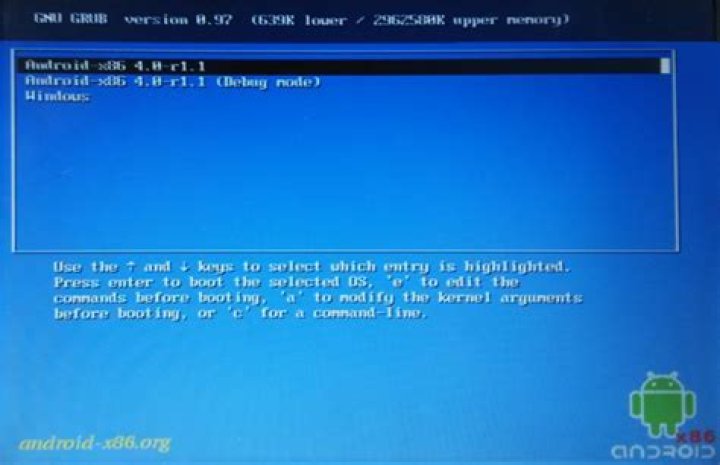
I installed some kind of multiboot device to be able to use Android on my laptop.
I would like to change the boot order to make Windows the default option, but I need to do it from within Windows 10, as I don't have Ubuntu installed. My laptop is old and still uses BIOS.
Boot menu:
2 Answers
You can install Grub2Win () in your Windows and edit the Grub menu. Please remember: if you choose to uninstall GRUB bootloader, you will need to repair the Windows bootloader.
1In order to set some entry in the GRUB as default, you should edit /etc/default/grub with your favourite text editor on Linux (Android is based on it, so you should find some Terminal Emulator for console-based stuff).
The thing you should edit is GRUB_DEFAULT value.0 means choosing the first value in the menu entry if no input will be given.
Try changing it to saved or just 2.
saved will always choose your last choice, 2 sets your third option (counting from 0) in the menu.
After applying changes you should recreate your boot entries by grub-mkconfig -o /boot/grub/grub.cfg or grub2-mkconfig -o /boot/grub/grub.cfg.


