F19 in Mac keyboard
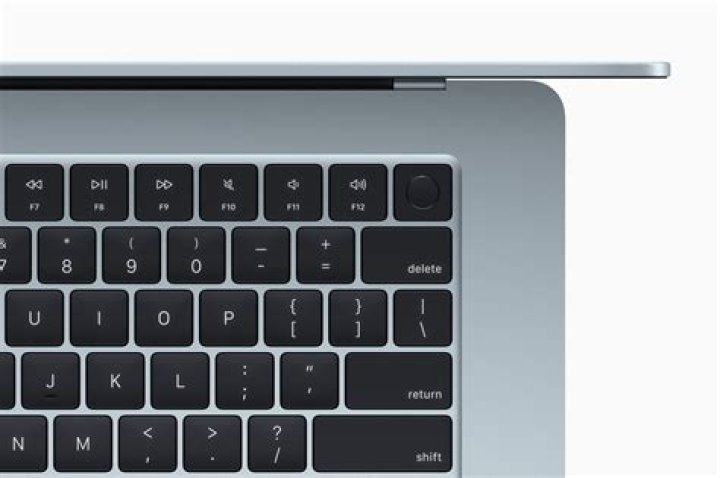
I am using an Apple Aluminium keyboard.
Keys F1..F18 work well, however, F19 is not recognized.
Actually, when checked with xev, it is recognized.. but I cannot assign a shortcut to F19 in gnome or any other app.
Is this a known issue? any tips on how to fix it?
update: Output from xev when clicking F19
KeyPress event, serial 37, synthetic NO, window 0xd000001, root 0x1e6, subw 0x0, time 64297953, (160,-20), root:(1351,629), state 0x10, keycode 197 (keysym 0x0, NoSymbol), same_screen YES, XLookupString gives 0 bytes: XmbLookupString gives 0 bytes: XFilterEvent returns: False
KeyRelease event, serial 37, synthetic NO, window 0xd000001, root 0x1e6, subw 0x0, time 64297960, (160,-20), root:(1351,629), state 0x10, keycode 197 (keysym 0x0, NoSymbol), same_screen YES, XLookupString gives 0 bytes: XFilterEvent returns: False
update 2: Output from xev when clicking F18
KeyPress event, serial 37, synthetic NO, window 0xd000001, root 0x1e6, subw 0xd000002, time 69242803, (47,44), root:(2043,870), state 0x10, keycode 196 (keysym 0x1008ff49, XF86Launch9), same_screen YES, XLookupString gives 0 bytes: XmbLookupString gives 0 bytes: XFilterEvent returns: False
KeyRelease event, serial 37, synthetic NO, window 0xd000001, root 0x1e6, subw 0xd000002, time 69242806, (47,44), root:(2043,870), state 0x10, keycode 196 (keysym 0x1008ff49, XF86Launch9), same_screen YES, XLookupString gives 0 bytes: XFilterEvent returns: False
I guess it has something to do with F18=XF86Launch9 and F19=NoSymbol.. where is this mapped?
1 Answer
Ok, I could fix it.. or should I say hacked it.. not sure how clean this actually is.
In case somebody is interested:
1) Open /usr/share/X11/xkb/symbols/inet. Search for:
 key <FK17> { [ XF86Launch8 ] }; key <FK18> { [ XF86Launch9 ] };
};
and add one more line
 key <FK17> { [ XF86Launch8 ] }; key <FK18> { [ XF86Launch9 ] }; key <FK19> { [ XF86LaunchA ] };
};
2) run setxkbmap -layout us or whatever layout you are using to refresh the corresponding configuration.
After these changes, F19 is mapped to XF86LaunchA and can be used without issues.
Note: Thanks @danzel for the tips.
More in general

"Zoraya ter Beek, age 29, just died by assisted suicide in the Netherlands. She was physically healthy, but psychologically depressed. It's an abomination that an entire society would actively facilitate, even encourage, someone ending their own life because they had no hope. Th…"

