/fill with blocks added by a mod
In Minecraft Java edition, I am using a mod (with Forge 1.12.2) that adds colored water. I want to /fill a region with colored water, but don't know the name of the block.
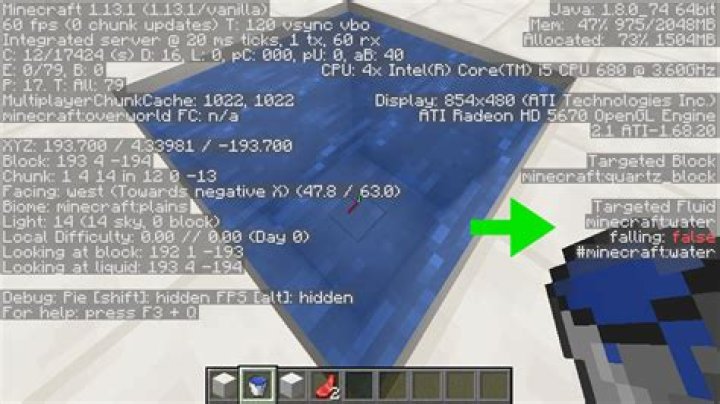
Usually, when I don't know the name of a block, I look at the block using the debug screen (F3). Here is the debug screen in Minecraft 1.13. I'm looking at water, as the screen indicates (where the green arrow points). It also tells me that the block below the water is quartz (immediately above the green arrow).
But when I play with Forge, it doesn't show the names of fluids. Here is the debug screen in Minecraft with Forge 1.12.2. I'm looking at water, again, but note how the screen only indicates the block below the water:
How can I find the name of a block that has been added by a mod?
The name shown when I select the block in the inventory ("Glowing White Water"), and the name of the block in the mod source code ("glowing_water_white"), both don't work.
Or can I not use the /fill command with mod-added blocks?
2 Answers
Thank you for that comment, @Reivilox.
The mod id is 'colored_water', one of the blocks is named 'glowing_water_green', and you can /fill with this block using:
/fill x1 y1 z1 x2 y2 z2 colored_water:glowing_water_greenWell I figured this out on my own so here's an example from the Chisel mod: chisel:basalt2 1 so basically you /fill cord cord cord and then the name of the mod with this. In my case it would look like chisel: then the name of the block and whatever variation of that block it is.