Firefox Not Updating Because snapd not present
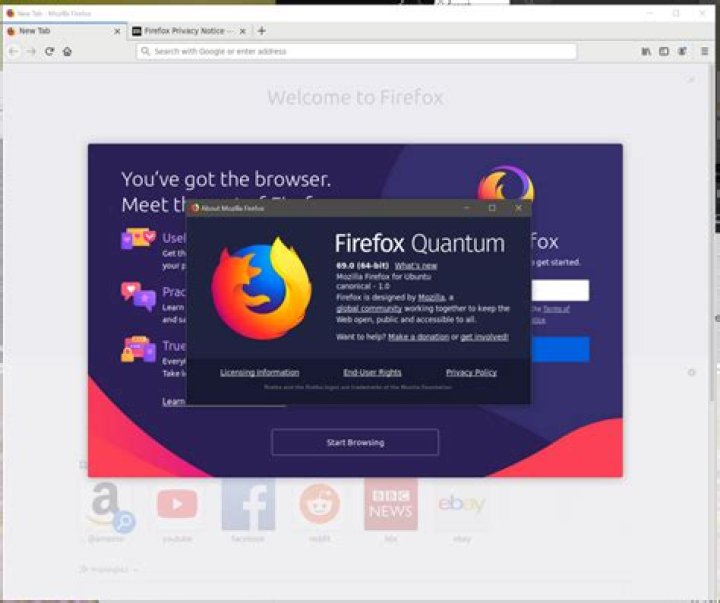
System Information:
- Ubuntu 22.04
I just upgraded my Ubuntu to 22.04 a few days ago. A few months back I had uninstalled all snap related packages, including snapd because I had read on some online sources that snap packages may lead to a system slowdown. Moreover, they went against the spirit of open source. So enthusiastically I removed them. Thereafter, I had to reinstall the required packages, including Firefox, using apt. No issue in that.
After the upgrade, whenever I run
sudo apt update && sudo apt upgradeI get the following output:
The following packages have been kept back: firefox libomp-dev
0 upgraded, 0 newly installed, 0 to remove and 2 not upgraded.
I searched a bit online, and found that installing the said packages can resolve this issue.This method resolved the problem with libomp-dev, but not firefox. When I ran:
sudo apt install firefoxI got:
Some packages could not be installed. This may mean that you have
requested an impossible situation or if you are using the unstable
distribution that some required packages have not yet been created
or been moved out of Incoming.
The following information may help to resolve the situation:
The following packages have unmet dependencies: firefox : PreDepends: snapd but it is not installable
E: Unable to correct problems, you have held broken packages.
I thought that if it is showing that my packages are broken, then
sudo apt --fix-broken installmight help but to no avail.
So does this mean that I can no longer update my Firefox without reinstalling Snap or snapd?
1 Answer
Firefox is no longer part of Canonical's apt repositories, as the goal is to have people using the Snap version to ensure security updates are rolled out in a timely manner. That said, if you would like to continue using a version of Firefox installed via a .deb package, you can get it directly from Mozilla.
Here's how:
- Open Terminal (if it's not already open)
- Remove the currently-installed version of Firefox
- Add Mozilla's PPA:
sudo add-apt-repository ppa:mozillateam/ppa - Update
apt:sudo apt update - Install Firefox:
sudo apt install firefox
So long as you do not have Snap installed, this will do what you're looking for without any additional steps 👍🏻
4

