How can I change the default python on my Ubuntu 20.04 to Python3.8?
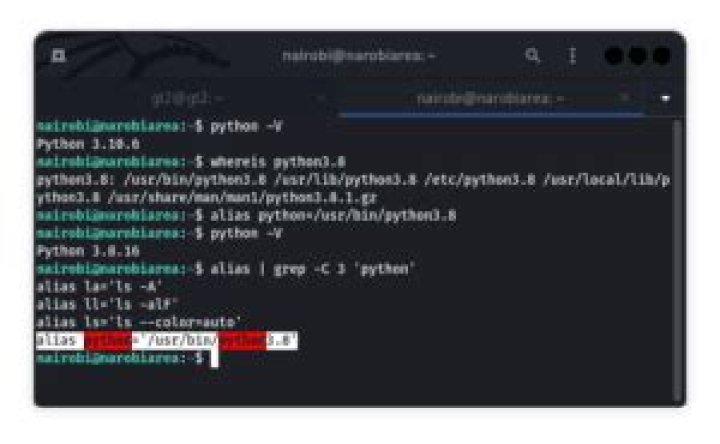
I would like to set python 3.8 as default on my PC Thinkpad X230 Ubuntu 20.04
I tried setting an alias
gt@gt-ThinkPad-X230:~$ alias python='usr/bin/python3.8'Q: Does this alter a .bashrc file? If so, which? ~/.bashrc? another? if so, which?
gt@gt-ThinkPad-X230:~$ python --version
bash: usr/bin/python3.8: No such file or directory
Complains it cannot find /usr/bin/python3.8, buuuuut:
gt@gt-ThinkPad-X230:~$ ls /usr/bin/python*
/usr/bin/python /usr/bin/python3.8 /usr/bin/python3-pasteurize/usr/bin/python2 /usr/bin/python3.8-config /usr/bin/python3-unidiff/usr/bin/python2.7 /usr/bin/python3-config/usr/bin/python3 /usr/bin/python3-futurize
How do I get bash to find see /usr/bin/python3.8?
4 Answers
The correct way is sudo apt install python-is-python3 - it effectively does a symlink, but it also keeps pace with future updates; so if your ubuntu distribution moves to say Python 3.9, the manual symlink will no longer work, but the package makes sure it is still valid.
Firstly to answer your question, your approach should work, I think the path you've given in your alias needs the / preceding the path so the command should be alias python='/usr/bin/python3.8', this would indeed need to go into your ~/.bashrc file assuming you are using bash.
Secondly, Ubuntu has a really nice method of setting default binaries globally rather than messing with dot config files as depicted here: update-alternatives
a better solution may be to simply run:
sudo update-alternatives --set python /usr/bin/python3.8This will ensure you have the version of python in use that you intend, everywhere.
5You should be able to do it in a command shell by typing:
alias python=python3.8To make it permanent you need to open up ~/.bashrc and add that line to the end of it. Should be as simple as that! Keep in mind this only works on a per user basis, which may or may not be what you want.
The other other thing that I notice with your attempt, is that your missing the leading /, so it should be reading as:
alias python='/usr/bin/python3.8'without that leading forward / it may be trying to use a relative path.
1Check the installed versions of Python:
ls /usr/bin/python*Then, create the alternatives:
sudo update-alternatives --install /usr/bin/python python /usr/bin/python2 1
sudo update-alternatives --install /usr/bin/python python /usr/bin/python3 2
Then, choose the version you want:
sudo update-alternatives --config pythonYou can easily switch between default Python versions.
1More in general

"Zoraya ter Beek, age 29, just died by assisted suicide in the Netherlands. She was physically healthy, but psychologically depressed. It's an abomination that an entire society would actively facilitate, even encourage, someone ending their own life because they had no hope. Th…"

