How can I queue spending points?
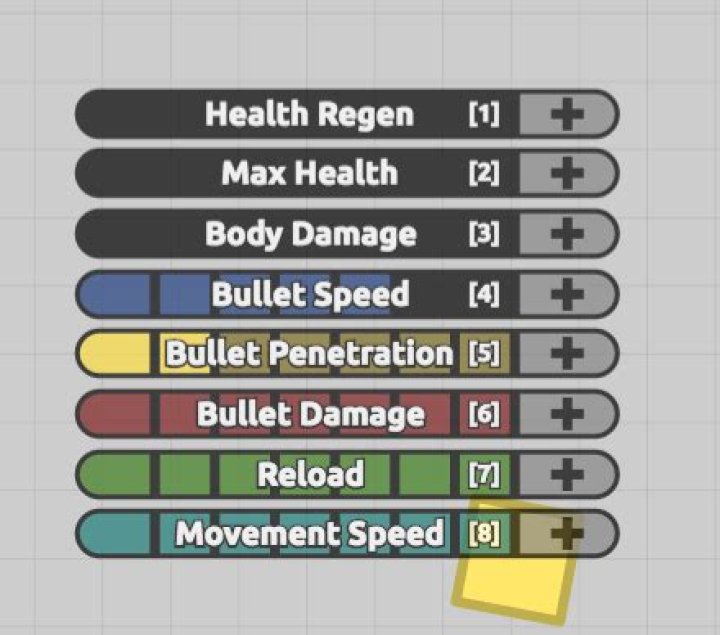
In the latest update, you can queue stat upgrades before you get the points.
How can I do this?
32 Answers
Basically, Holding U, then pressing a number(stat) queues individual stats for upgrading.
However, holding M then pressing a number(stat) will fully queue stats as in the changelog:
For example, I could hold M, then press 5, 6, 7, 4, 2 (my normal build), and it would fill 5 up, 6up, 7up, 4 up, and 2 up in that order as i level up.
Also, I could hold U, then press '5' 7 times, '6' 7 times, '7' 7 times, '4' 7 times, and '2' five times in order to get the same effect.
End Result:
You can hold down U and then type each number or click the plus sign to queue your point upgrades. You can also hold down M and another number to queue the remainder of that upgrade until it's full or your points run out.
You will see a darker shade of that upgrade color fill in to confirm you queued it.
If you press U again, it will reset the queue and you'll have to queue up points again.
The queue will spend points first in the area you first picked, and will spend points last in the area you last picked.
0