How do I permanently mount a windows network share in Ubuntu?
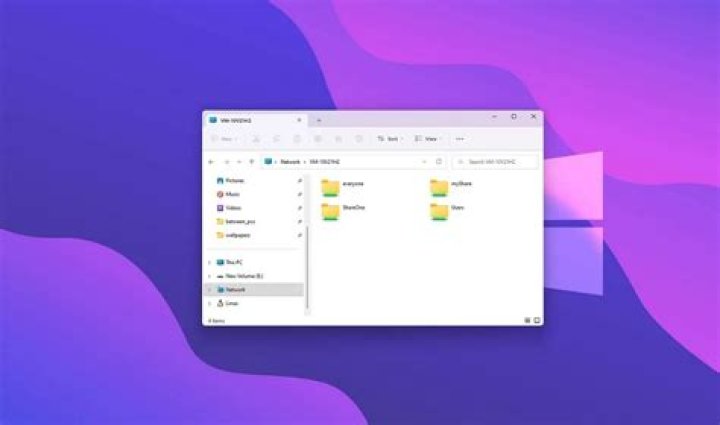
I'm trying to figure out how to permanently mount a windows network share in Ubuntu. Can anyone help me with the required steps?
31 Answer
I spent countless hours and visited numerous webpages to what I thought would be a straight forward problem. After writing up my notes for future reference, I decided to post them here to help anyone who might have similar problems. The notes have gone thru a few revisions and for reference there are 4 sources for further reading.
This solution has been installed and working on three ubuntu VM’s that are running under Windows 10 Pro Hyper-V and Ubuntu 20.04 KVM VMM. So far the network shares popup quickly and there is no appreciable lag times when traveling up and down the directory trees.
This solution solves a similar problem in Hyper-V when using ‘passthrough hard drives’; the Ubuntu vm's have only ‘read’ permissions on the hard drives. Unfortunately, Microsoft discourages using passthrough hard drives and this caused me to look for a linux solution. The hard drives are needed since they are to be used for extensive i/o. In my experience hard drives have faster write speeds and usually last longer than ssd drives.
Installation Notes:
The steps below have the mount points in the ‘/media/‘ folder, this follows what was recommended on some source webpages. When I started to solve this problem my mount points were setup in the ‘/mnt/‘ folder, as of now I am not sure if that will still work. You could give it a try if that’s what you want.
xrdp, which enables remote desktop access to a ubuntu-pc, was used in all my installations. If you do not need this capability omit this package from the first step; everything else should still work.
All the steps listed are what I actually used.
——————————————————————————————————————————
Source:
Source:
Source: How to change permissions on mounted windows share?
Source: Ubuntu Server 18.04.01 LTS CIFS Mount failing——————————————————————————————————————————
after new Ubuntu install, additional packages to add:
xrdp, samba-common, samba, smbclient
open ‘Terminal’ and enter the following commands:
install cifs utilities
sudo apt-get install cifs-utils
create mount points for windows shares and set permissions
sudo mkdir /media/mountName
sudo chown userId:userId /media/mountName
sudo chmod 755 /media/mountName
create ‘credentials’ file to hold userid/password and set permissions
sudo nano ~/.smbcredentials
enter the following 2 lines
username=windowsLoginId
password=windowsPassword
enter 'ctrl-x', then 'y' and finally 'enter' to exit and save file
set permissions to hide username and password
sudo chmod 600 ~/.smbcredentials
retrieve ‘uid’ and ‘gid’ values for next step
id
the ‘id’ command will output something similar to the following:
uid=1000(userId) gid=1000(userId) groups=1000(userId),4(adm),………….,1001(smbgroup)backup and edit ‘fstab’ to mount window share at ubuntu startup
mkdir ~/system-backups
cp /etc/fstab ~/system-backups
sudo nano /etc/fstab
at end of file enter the following line:
//winServerName/shareName /media/mountName cifs credentials=/home/userId/.smbcredentials,uid=1000,gid=1000,vers=3.0,nounix 0 0
(Note: for the last 2 ‘0’ enter a ‘tab’ before the ‘0’ and delete any carriage returns)
enter 'ctrl-x', then 'y' and finally 'enter' to exit and save filetest mounting of windows network share
sudo mount -a
if no errors appear, the mount should appear in ‘file manager’
check mount in file manager for read/write access
test permanent network share
shutdown and reboot pc
open ‘file manager’ and check network share
other relevant commands
manually mount network share
sudo mount -t cifs -o username=windowsLoginId //winServerName/shareName /media/mountName
you will be prompted for the ‘password’prepare mount point for deletion; do not run command where ‘pwd’ is ‘/media’
sudo umount /media/mountNamedelete mount point
rmdir /media/mountNameMore in general

"Zoraya ter Beek, age 29, just died by assisted suicide in the Netherlands. She was physically healthy, but psychologically depressed. It's an abomination that an entire society would actively facilitate, even encourage, someone ending their own life because they had no hope. Th…"

