How do you want to open this file?
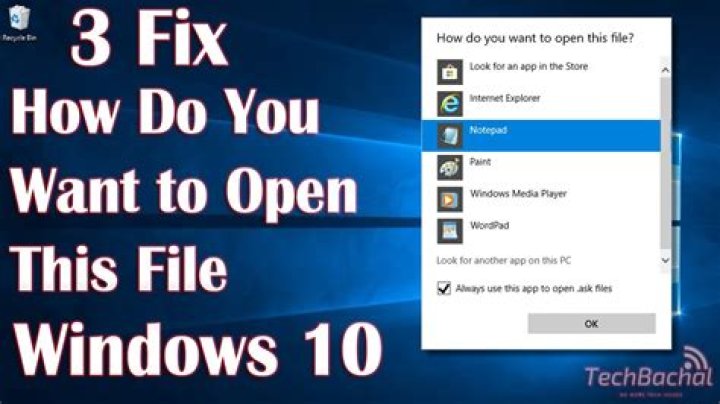
Windows 10 has a dialog that asks
How do you want to open this file?
Here's a screenshot I found on the web:
I think it does this for every file type once.
Since I have a lot of types that basically open Sublime (js/java/cs/h/c/cpp/txt/md/...) this get's annoying quick.
Is there a way to get Windows to "keep using this app" without displaying the dialog for all file types that were known previously on Windows 8?
To be clear:
- The file associations for all types has already been set (in Windows 8)
- After upgrading Windows 10 asks again once for every file type showing a dialog with "continue using this app"
- Since it already knows what app I want to use (hence the "continue using this app" part) how can I stop Windows from asking again?
5 Answers
- Run / gpedit.msc (edit group policy)
- locate and expand Computer Configuration / Administrative Templates / Windows Components now click on File Explorer
- on the right panel, double click on "Do not show the 'new application installed' notification" and set it to "Enabled"
3This policy removes the end-user notification for new application associations. These associations are based on file types (e.g. *.txt) or protocols (e.g. http:)
If this group policy is enabled, no notifications will be shown. If the group policy is not configured or disabled, notifications will be shown to the end user if a new application has been installed that can handle the file type or protocol association that was invoked.
I never found a solution - maybe it's even intended by MS to push their own apps.
The following workaround however solves it pretty well without interrupting my workflow.
Install AutoHotkey and add this to the top of your script:
; auto close annoying windows
Loop { Sleep 500 if (WinActive("ahk_class Shell_Flyout")) { WinGetPos , , , cw, ch ; if (cw=710) { ; How do you want to open this file? / Keep using this app Send {Enter} ; } }
}
You may need to enable the size check if Shell_Flyout is used for anything else.
Some programs neglect to put the path to their executable in quotes when they add themselves to the list of startup apps. The way I fixed this was by using CCleaner to open their registry entries and manually adding quotes to all the paths. Credit
Getting "How do you want to open this file?" for .exe files can be due to the executable program trying to open some other file (.html, .pdf, .chm, ...) prior to showing any window or interface, making it seem like the problem is with .exe association
You can set either - default programs for known extensions or services, or specify file extensions and then proper programs for them. While setting "Default program" Windows will automatically open files of extensions already defined and linked to that program. The other option lets you manually override this settings. i.e. its useful when you want to open jpg in one app, and, lets say gifs in other.
Try Control Panel -> Programs -> Defult Programs
Either "Set your default programs" or "Associate a file type or protocol with a program".
Other than that, after "some" time Windows will almost completly stop asking about programs you want to use. Except when you install new program that can handle known protocols (like images, web content).
10

