How to install zotac gt 210 graphics card driver in Ubuntu 13.04? [duplicate]
I tried many idea from ubuntu 13.04 support, googling but cant found better support.
I want to install graphics driver as mention in title, but dont know how?
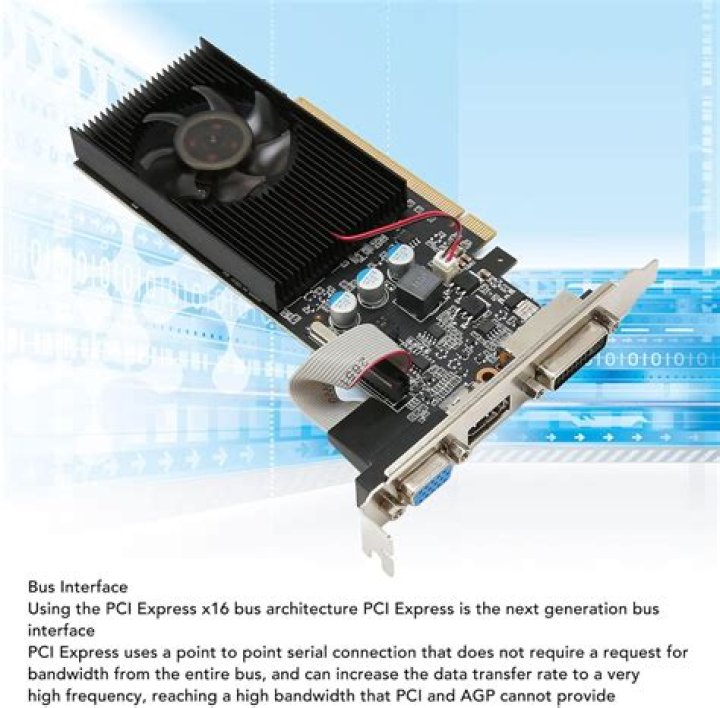
I have Zotac Nvidia Geforce G210 1GB DDR3 Graphics card with core 2 duo E4400 2 Ghz processor and 3 GB ram.
I downloaded driver from official site and that's driver comes with .run extension.
I tried all execution (right click and change permission as execute something).
Also I tried this link support "How do I install .run files?"
So please help me on "how to install this driver".
Thanks in advance.
Krunal
21 Answer
I've found that manual installs work best for installing nvidia drivers, so go to here and download the latest drivers. By default, it'll most likely go into /Downloads, but if not, just know where it is. (I've heard that this method MIGHT not work well with older cards (such as yours) but it's worth a shot. Also unless you're having issues with nouveau drivers, I'd stick with them if this proprietary install doesn't work.) Then, you'll want to press
ctrl + alt +F1-F6 (each is a different login)
And then sign in to your account. Then, you'll want to use
sudo stop lightdm (or sudo service lightdm stop)
This shuts down the things that are using the GUI, so they can be updated.
Then run
chmod +x ~/* Folder that said driver is located in * / * Driver *
For example,
chmod +x ~/Downloads/NVIDIA-Linux-x86_64-343.13.run
Make SURE that you have the entire name of the driver, otherwise this will not work! Caps do matter!
What you just did was make the file executable. Next, you'll want to run the following command, changed of course like the example above to fit your directories/driver versions.
sudo sh ~/Downloads/NVIDIA-Linux-x86_64-343.13.run
For me, tabbing the rest of the NVIDIA-Linux-x86_64-343.13.run file does not work for me, but it is CRUCIAL THAT YOU DO THIS. If nothing happens after you run the second command, check your caps and spelling to make sure they are right. You have to go through the program using the keyboard to correctly install it. For me it will tell me that something went wrong right on the bat, just keep going and see if it still works. If it asks you to install 32 bit libraries, do so. Some programs (like steam games) will not run unless you have these installed.
After all of the above has been done, one final command must be completed, or of course you could reboot.
sudo start lightdm (or sudo service lightdm start)
Then, you'll do
ctrl + alt+ F7-F9ish (F7 is usually default, some people have different F keys though)
This should have worked for most people, if not keep looking, there's always a fix. If anyone knows something about getting virtual 7.1 audio to work, please message me somehow. Thanks. Hope I helped someone.
Edit:I've also heard x-swat repositories work better at times. Not sure about that, but worth a try.
(Pro tip, whenever Nvidia related stuff goes wrong, watch this.)
More in general

"Zoraya ter Beek, age 29, just died by assisted suicide in the Netherlands. She was physically healthy, but psychologically depressed. It's an abomination that an entire society would actively facilitate, even encourage, someone ending their own life because they had no hope. Th…"

