How to set Maven home PATH on Ubuntu as User
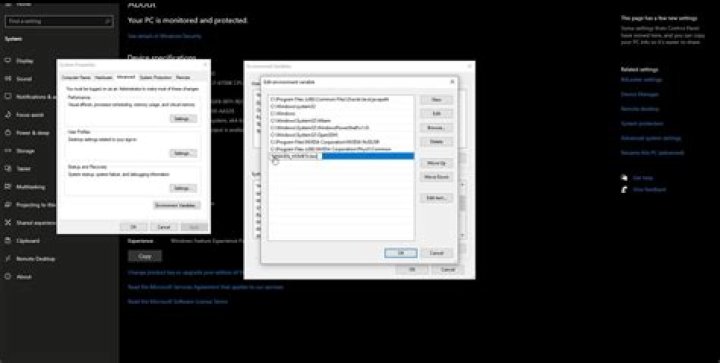
I am new to Ubuntu and Maven. Recently I installed Maven in my system as user and the installation went perfectly, but I can't set path environment variable permanently. I also referred to the following questions but I couldn't solve my problem.
Maven environment variable not working on other terminal
How to permanently set environmental variables PATH and M2_HOME in ubuntu for maven3?
I can set m2_home path in my system as user but when I check if the path is set with mvn -v I get the following error:
Error: JAVA_HOME is not defined correctly. We cannot execute /usr/lib/jvm/jdk1.8.0/bin/javaWhen I restart the terminal I can't find the path of M2_home. I don't have root access.
2 Answers
Exporting the M2_HOME environment variable is no longer required if you're using Maven 3. The important thing is to have the /bin directory of you maven installation added to the PATH environment variable.
Anyway, personally I find that exporting the M2_HOME env variable makes reconfiguring the location easier at a later time if needed.
The actual error you're reporting is related to JAVA_HOME not being set correctly, but I'll get to that after setting up Maven.
First of all, to have M2_HOME set between terminal restarts you'll have to add the export statement to ~/.bashrc (assuming your shell is bash). This will override any of these environment variables set system wide by /etc/environment
My Maven installation is located at /opt/apache-maven-3.5.4, so to add that to my ~/.bashrc file I could do
echo 'export M2_HOME=/opt/apache-maven-3.5.4' >> ~/.bashrcAnd then I would utilize M2_HOME when I add maven to PATH, like so
echo 'export PATH=${M2_HOME}/bin:${PATH}' >> ~/.bashrcNow configure JAVA_HOME the same way. My java installation is located at /usr/lib/jvm/java-8-oracle/jre/bin/java but when configuring JAVA_HOME some of that path will need to be stripped away.
echo 'export JAVA_HOME=/usr/lib/jvm/java-8-oracle' >> ~/.bashrcThen, if you start a new terminal you should be able to run mvn -v and get the desired result.
Setup Maven and Specific Java version for particular user on Ubuntu 16.04. Download Apache Maven 3.3.6, Java 1.8 and extract them to certain directories. Do following steps:
- open terminal and Go to Particular User
- gedit ~/.profile
Add below lines export JAVA_HOME=/usr/local/java/jdk1.8.0_251 export M2_HOME=/usr/local/maven/apache-maven-3.3.9 PATH="$HOME/bin:$HOME/.local/bin:$PATH:$JAVA_HOME/bin:$M2_HOME/bin"
Save the Changes
- source ~/.profile
Then Run Command to verify mvn -version
It is working for me.
More in general

"Zoraya ter Beek, age 29, just died by assisted suicide in the Netherlands. She was physically healthy, but psychologically depressed. It's an abomination that an entire society would actively facilitate, even encourage, someone ending their own life because they had no hope. Th…"

