Is it possible to modify (or create) an scheduled task in Windows command-line to disable "Stop task if it runs longer than"?
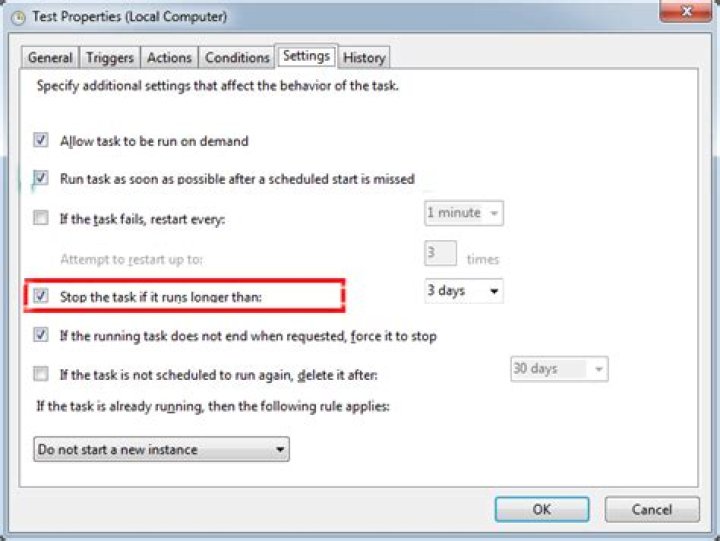
I wanna change this option via command line using schtasks (or whatever), but the docs seems not to have an option for it:
Stop task if it runs longer than
only the GUI seems to allow it:
I have tested this method:
schtasks /change /tn "/MyTask" /du 5000(so it lasts for 5.000 hours) but it does not change that option.
I could workaround it too by creating a new task, if modification is not possible.
2 Answers
I found a solution although not very convenient. It's possible to set the options you need on a scheduled task and then export it into a XML file. Then we can delete all sections from XML which we don't want to change. Only mandatory section which must remain there is <Actions>. Without it the command does not run. Then we delete everything else and leave only what we want to modify on a scheduled task. In this case we are modifying stop if the task runs longer then so we leave section <settings> and value <ExecutionTimeLimit>. (note that you can also put there values which cannot be chosen in GUI) Save XML file and then you can update any existing scheduled task by running
schtasks /create /tn taskname /ru useraccount /rp password /f /xml schtaskmodify.xml
The downside is that this is not universal and you need to know the task action command and task credentials. It also works without /ru and /rp, but then credentials of the scheduled task get reset to yours.
The PowerShell Set-ScheduledTask and New-ScheduledTaskSettingsSet cmdlets can be used modify scheduled tasks (whether created using schtasks.exe, New-ScheduledTask, the GUI, etc). Try this:
$TaskSettingsObject = New-ScheduledTaskSettingsSet -ExecutionTimeLimit '05:00:00'
Set-ScheduledTask -TaskName "MyTask" -Settings $TaskSettingsObject
This could also be written more succinctly as a one-liner by wrapping the New-ScheduledTaskSettingsSet command in parentheses so the CimInstance object is built before passing it as a -Settings parameter:
Set-ScheduledTask -TaskName "MyTask" -Settings (New-ScheduledTaskSettingsSet -ExecutionTimeLimit '05:00:00')

