Logitech wireless mouse M705 not working with Ubuntu 18.04.1
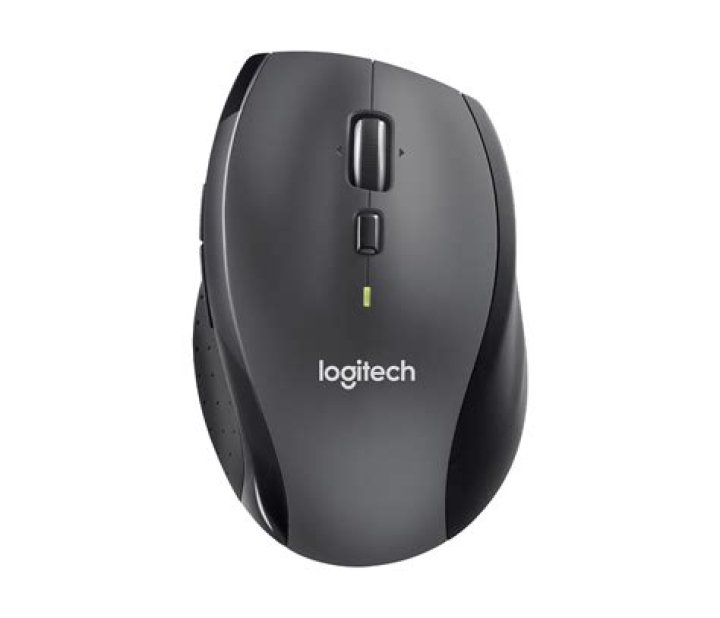
I upgraded recently to Ubuntu 18.04.1 LTS. The mouse worked for a few days, and stopped. I have changed USB ports, batteries on the mouse, but it just doesn't work. Wired mouse works fine. The computer recognises the Unifying receiver but it doesn't work. I tried with a differed model and receiver from Logitech, but that didn't work either.
Please help.
26 Answers
There are two ways to pair Logitech unifying mice/keyboards.
If you have Windows (in a dual-boot configuration) you can install the Logitech Unifying Software and the Logitech Mouse software, and pair/configure them in Windows. See . All settings made in Windows will carry over to the Ubuntu environment.
In Ubuntu, you can install Solaar to do many, but not all, of the same pair/configure actions. Solaar is in the Ubuntu repositories (via Synaptic), or can be found at or . The github versions may be newer.
I have almost the same issue on a new machine. The M705 + unifying receiver pair worked fine on 16.04 (it works like a charm on a fedora 29 box), a M180 + receiver works fine (though solaar reports it as a M215), but the M705 unifying receiver is not recognized at all on 18.04.
dmesg reports quite a few device descriptor errors:dmesg |tail
[ 6650.337020] usb 1-1: Device not responding to setup address.
[ 6650.545275] usb 1-1: device not accepting address 26, error -71
[ 6650.545373] usb usb1-port1: attempt power cycle
[ 6651.197281] usb 1-1: new high-speed USB device number 27 using xhci_hcd
[ 6651.324891] usb 1-1: device descriptor read/64, error -71
[ 6651.561301] usb 1-1: device descriptor read/64, error -71
[ 6651.797277] usb 1-1: new full-speed USB device number 28 using xhci_hcd
[ 6651.925295] usb 1-1: device descriptor read/64, error -71
[ 6652.161300] usb 1-1: device descriptor read/64, error -71
[ 6652.268973] usb usb1-port1: unable to enumerate USB device
I had a similar problem with my MX Master mouse soon after upgrading from 16.04 to 18.04. This may not be the solution to OP's question, but hopefully it will help others.
The Ubuntu Software app showed a Logietch firmware update to improve mouse security (probably related to the MouseJack attack). I clicked update but the update gave an error and the mouse stopped working thereafter. When I tested that Unifying Receiver with Windows, it detected it as a "USB Bootloader" and even the Logitech Options app would not detect it as a Unifying Receiver.
I suspect that cause was the Logitech Unifying Receiver firmware was not updated properly. Unfortunately, Logitech does not provide a firmware update tool for Linux so I had to use Windows to download and run the latest Firmware Update Tool. The update worked and the Windows Logitech Options app immediately detected Unifying Receiver. After a power-cycle the mouse started working immediately with that Unifying Receiver in both Windows and in Ubuntu.
1I have the same mouse and have even paired with a k550 keyboard on the same unifying reciever using ltunify. Here's a link.
Maybe you can unpair and the pair once again the mouse to your receiver using ltunify.
A "worked for a few days, and stopped" doesn't sound like a software problem, unless it's a setup / configuration issue.
Try the same mouse and dongle on another PC. Try another device -- perhaps a flash drive -- on that computer USB port.
Prove the hardware, both PC and device.
1I'm having a similar problem with my M705. Running Linux Mint MATE using 4.15.0-70-generic x86_x64.
For me, my left click doesn't stay down while dragging. I've tested a regular wired mouse and it's fine. I wasn't having issues "just a little while ago", I'll probably boot and see if previous kernel fixes.
I've updated the firmware and it "seems better", but still not 100%.
Update: Yeah, I'm experiencing the same issue with dongle/mouse combo on Win7 box in the house. I'm just going to try another dongle if I can get my hands on one. The old kernel still had the same issue btw, which prompted the test on the Win7 box.


