Macbook Pro 2019 16 Inch Dual Booted with Ubuntu, wireless not working
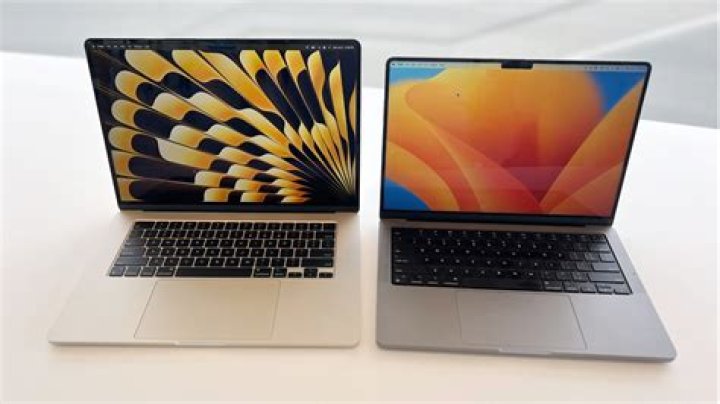
I have a Macbook Pro 16 Inch Dual Booted with Ubuntu, and my WiFi is not working. The bluetooth is working, so I am able to use that for internet using my phone. I have been searching for hours, so I decided to post something myself.
When I go to the settings (without connecting to my phone) the network tab isn't there When my phone is connected, I can only connect to my phone, and nothing else.
sudo apt-get install DOES NOT WORK, with any flags too.
sudo apt-get update DOES NOT WORK
sudo apt-get upgrade DOES NOT WORK
sudo apt-get dist-upgrade DOES NOT WORK
(does not work as in, no changes done)
rfkill is all unblocked. For the lshw, I have Broadcom Inc. with the ID of 14e4:4464
I have tried the method of using the iso, mounting it and using the Software & Updates, checking the cdrom with Ubuntu 20.04 'Focal Fossa', closing it, then going to Additional Drivers, and that lists nothing but: Searching for available drivers | No additional drivers available.
I have installed, packages like b43-fwcutter, bcmwl-kernel_source, firmware-b43-installer
And a side note I have done random linux installations, and it might take me like 30min to do, NOT THIS TIME! Been at it for a few days now. I am pretty new to linux, but I am familiarizing myself with the commandline pretty well.
rfkill list
0: hci0: Bluetooth Soft blocked: no Hard blocked: nolspci -knn | grep Net -A3
Network controller [0280]: Broadcom Inc. and subsidiaries BCM4364 802.11ac Wireless Network Adapter [14e4:4464] (rev 04) Subsystem: Apple Inc. BCM4364 802.11ac Wireless Network Adapter [106b:07bf]
06:00.0 PCI bridge [0604]: Intel Corporation JHL7540 Thunderbolt 3 Bridge [Titan Ridge 4C 2018] [8086:15ea] (rev 06) Kernel driver in use: pcieport
07:00.0 PCI bridge [0604]: Intel Corporation JHL7540 Thunderbolt 3 Bridge [Titan Ridge 4C 2018] [8086:15ea] (rev 06)
I already had it purged, so.. dmesg | grep bcm
[ 5.574612] hci_uart_bcm serial0-0: Unexpected ACPI gpio_int_idx: -1
[ 5.574613] hci_uart_bcm serial0-0: Unexpected number of ACPI GPIOs: 0
[ 5.574615] hci_uart_bcm serial0-0: No reset resource, using default baud rate1 Answer
Pretty old question: But the easiest answer is to plug in USB Ethernet that is not broadcom(generally). To then update and install other drivers.
I am using a mediatek usb ethernet dongle.
As for how to install other individual devices, thats many posts worth of instructions.
Im even looking for some of those posts now, setting up native linux on my iMac.
hope this helps someone else who happens on this.
More in general

"Zoraya ter Beek, age 29, just died by assisted suicide in the Netherlands. She was physically healthy, but psychologically depressed. It's an abomination that an entire society would actively facilitate, even encourage, someone ending their own life because they had no hope. Th…"

