mdadm checking RAID 5 array after each restart
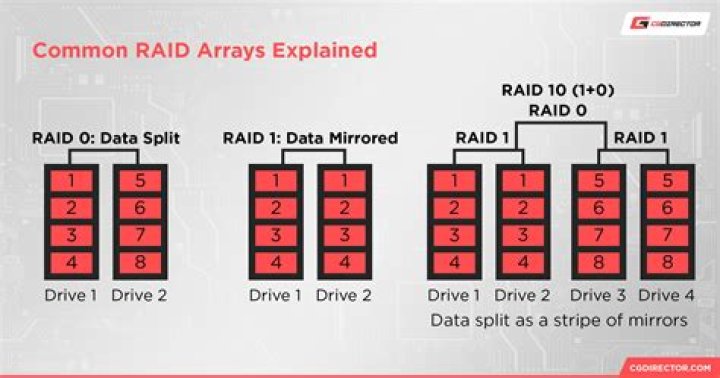
system info: Ubuntu 20.04 Software raid 5 (added 3rd HDD and converted from raid 1). FS is Ext4 over LUKS.
I saw a system slowdown after a restart, so I checked the array status via proc/mdstat, and it show following:
Personalities : [raid6] [raid5] [raid4] [linear] [multipath] [raid0] [raid1] [raid10]
md0 : active raid5 sdb[2] sdc[0] sdd[1] 7813772928 blocks super 1.2 level 5, 64k chunk, algorithm 2 [3/3] [UUU] [==>..................] check = 14.3% (558996536/3906886464) finish=322.9min speed=172777K/sec bitmap: 0/30 pages [0KB], 65536KB chunk
unused devices: <none>
It is re-checking, but I don't know why. There is no cron job setup. Here is the log entry, which occurs after each restart, after system has been converted to RAID5, but I am not sure, has it been re-checking every time or not:
Jan 3 14:34:47 <sysname> kernel: [ 3.473942] md/raid:md0: device sdb operational as raid disk 2
Jan 3 14:34:47 <sysname> kernel: [ 3.475170] md/raid:md0: device sdc operational as raid disk 0
Jan 3 14:34:47 <sysname> kernel: [ 3.476402] md/raid:md0: device sdd operational as raid disk 1
Jan 3 14:34:47 <sysname> kernel: [ 3.478290] md/raid:md0: raid level 5 active with 3 out of 3 devices, algorithm 2
Jan 3 14:34:47 <sysname> kernel: [ 3.520677] md0: detected capacity change from 0 to 8001303478272
mdadm --detail /dev/md0
/dev/md0: Version : 1.2 Creation Time : Wed Nov 25 23:06:18 2020 Raid Level : raid5 Array Size : 7813772928 (7451.79 GiB 8001.30 GB) Used Dev Size : 3906886464 (3725.90 GiB 4000.65 GB) Raid Devices : 3 Total Devices : 3 Persistence : Superblock is persistent Intent Bitmap : Internal Update Time : Sun Jan 3 16:17:28 2021 State : clean, checking Active Devices : 3 Working Devices : 3 Failed Devices : 0 Spare Devices : 0 Layout : left-symmetric Chunk Size : 64K
Consistency Policy : bitmap Check Status : 16% complete Name : ubuntu-server:0 UUID : <UUID> Events : 67928 Number Major Minor RaidDevice State 0 8 32 0 active sync /dev/sdc 1 8 48 1 active sync /dev/sdd 2 8 16 2 active sync /dev/sdb
Is this a normal behavior or not?
Appreciate any input
21 Answer
UPDATE 18/06/2021
for svc in mdcheck_start.timer mdcheck_continue.timer; do sudo systemctl stop ${svc}; sudo systemctl disable ${svc}; done
Taken from:
UPDATE 04/05/2021 begin.
My previous answer seems to be not helpful.
The check occurred again despite the change in /etc/default/mdadm.
I've found something else to investigate.mdcheck_start.servicemdcheck_start.timermdcheck_continue.servicemdcheck_continue.timer/etc/systemd/system//etc/systemd/system//etc/systemd/system/
systemctl status mdcheck_start.service
● mdcheck_start.service - MD array scrubbing Loaded: loaded (/lib/systemd/system/mdcheck_start.service; static; vendor preset: enabled) Active: inactive (dead)
TriggeredBy: ● mdcheck_start.timer
systemctl status mdcheck_start.timer
● mdcheck_start.timer - MD array scrubbing Loaded: loaded (/lib/systemd/system/mdcheck_start.timer; enabled; vendor preset: enabled) Active: active (waiting) since Sun 2021-05-02 19:40:50 CEST; 1 day 14h ago Trigger: Sun 2021-06-06 22:36:42 CEST; 1 months 3 days left Triggers: ● mdcheck_start.service
May 02 19:40:50 xxx systemd[1]: Started MD array scrubbing.systemctl status mdcheck_continue.service
● mdcheck_continue.service - MD array scrubbing - continuation Loaded: loaded (/lib/systemd/system/mdcheck_continue.service; static; vendor preset: enabled) Active: inactive (dead)
TriggeredBy: ● mdcheck_continue.timer Condition: start condition failed at Tue 2021-05-04 06:38:39 CEST; 3h 26min ago └─ ConditionPathExistsGlob=/var/lib/mdcheck/MD_UUID_* was not metsystemctl status mdcheck_continue.timer
● mdcheck_continue.timer - MD array scrubbing - continuation Loaded: loaded (/lib/systemd/system/mdcheck_continue.timer; enabled; vendor preset: enabled) Active: active (waiting) since Sun 2021-05-02 19:40:50 CEST; 1 day 14h ago Trigger: Wed 2021-05-05 00:35:53 CEST; 14h left Triggers: ● mdcheck_continue.service
May 02 19:40:50 xxx systemd[1]: Started MD array scrubbing - continuation.sudo cat /etc/systemd/system/
# This file is part of mdadm.
#
# mdadm is free software; you can redistribute it and/or modify it
# under the terms of the GNU General Public License as published by
# the Free Software Foundation; either version 2 of the License, or
# (at your option) any later version.
[Unit]
Description=MD array scrubbing
[Timer]
OnCalendar=Sun *-*-1..7 1:00:00
RandomizedDelaySec=24h
Persistent=true
[Install]
WantedBy=mdmonitor.service
Also=mdcheck_continue.timersudo cat /etc/systemd/system/
# This file is part of mdadm.
#
# mdadm is free software; you can redistribute it and/or modify it
# under the terms of the GNU General Public License as published by
# the Free Software Foundation; either version 2 of the License, or
# (at your option) any later version.
[Unit]
Description=MD array scrubbing - continuation
[Timer]
OnCalendar=daily
RandomizedDelaySec=12h
Persistent=true
[Install]
WantedBy=mdmonitor.servicesudo cat /etc/systemd/system/
# This file is part of mdadm.
#
# mdadm is free software; you can redistribute it and/or modify it
# under the terms of the GNU General Public License as published by
# the Free Software Foundation; either version 2 of the License, or
# (at your option) any later version.
[Unit]
Description=Reminder for degraded MD arrays
[Timer]
OnCalendar=daily
RandomizedDelaySec=24h
Persistent=true
[Install]
WantedBy= mdmonitor.serviceUPDATE 04/05/2021 end.
Try sudo dpkg-reconfigure mdadm.
Please note that I am not sure if the above tip would help.
I have the same problem with my raid5 on 20.04.
First I've tried editing the /etc/default/mdadm manually and changed AUTOCHECK=true into AUTOCHECK=false.
It did not help.
Today I've used dpkg-reconfigure mdadm.
Now the /etc/default/mdadm file looks the same (AUTOCHECK=false) but as a part of dpkg-reconfigure mdadm there was also an update-initramfs call. I hope it will help.
... update-initramfs: deferring update (trigger activated) ...
The extended log:
sudo dpkg-reconfigure mdadm
update-initramfs: deferring update (trigger activated)
Sourcing file `/etc/default/grub'
Sourcing file `/etc/default/grub.d/50-curtin-settings.cfg'
Sourcing file `/etc/default/grub.d/init-select.cfg'
Generating grub configuration file ...
File descriptor 3 (pipe:[897059]) leaked on vgs invocation. Parent PID 655310: /usr/sbin/grub-probe
File descriptor 3 (pipe:[897059]) leaked on vgs invocation. Parent PID 655310: /usr/sbin/grub-probe
Found linux image: /boot/vmlinuz-5.4.0-72-generic
Found initrd image: /boot/initrd.img-5.4.0-72-generic
Found linux image: /boot/vmlinuz-5.4.0-71-generic
Found initrd image: /boot/initrd.img-5.4.0-71-generic
Found linux image: /boot/vmlinuz-5.4.0-70-generic
Found initrd image: /boot/initrd.img-5.4.0-70-generic
File descriptor 3 (pipe:[897059]) leaked on vgs invocation. Parent PID 655841: /usr/sbin/grub-probe
File descriptor 3 (pipe:[897059]) leaked on vgs invocation. Parent PID 655841: /usr/sbin/grub-probe
done
Processing triggers for initramfs-tools (0.136ubuntu6.4) ...
update-initramfs: Generating /boot/initrd.img-5.4.0-72-generic
The full /etc/default/mdadm file:
cat /etc/default/mdadm
# mdadm Debian configuration
#
# You can run 'dpkg-reconfigure mdadm' to modify the values in this file, if
# you want. You can also change the values here and changes will be preserved.
# Do note that only the values are preserved; the rest of the file is
# rewritten.
#
# AUTOCHECK:
# should mdadm run periodic redundancy checks over your arrays? See
# /etc/cron.d/mdadm.
AUTOCHECK=false
# AUTOSCAN:
# should mdadm check once a day for degraded arrays? See
# /etc/
AUTOSCAN=true
# START_DAEMON:
# should mdadm start the MD monitoring daemon during boot?
START_DAEMON=true
# DAEMON_OPTIONS:
# additional options to pass to the daemon.
DAEMON_OPTIONS="--syslog"
# VERBOSE:
# if this variable is set to true, mdadm will be a little more verbose e.g.
# when creating the initramfs.
VERBOSE=false

