Multiple summations of equal size with text below it in word
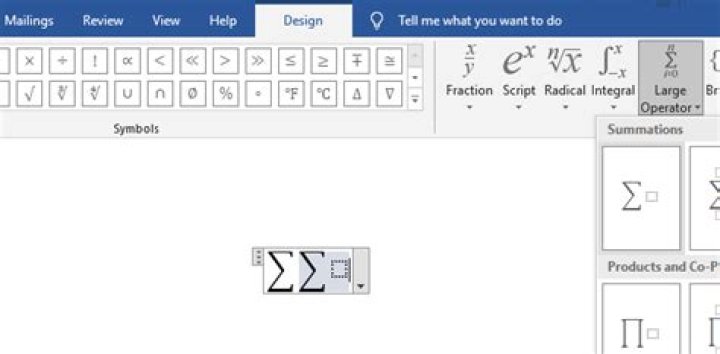
I am trying to type a formula in word, consisting of two summations (Sigma's), both with subscript. Something like this:
However, in word, a summation sign with option to add something below it always adds empty space (a placeholder for content inside the summation). Therefore, i can get either this:
or this:
or just use subscripts:
However, is there a way to get the both sigmas the same size, with text under it. And if possible, a way to decrease the size of the sigmas.
Thanks in advance!
2 Answers
Based on @harrymc answer, the workaround for this problem is easy, but you must insert the summation through the right place. So no copy/paste or drag and drop.
- Place your first summation.
- Click on the small square to the right of it.
- Go to:
Design > Structures > Large operatorand insert your second summation.
Note: Don't put any characters after it outsite this equation field, because it will remove the formatting.
The trick is to insert the sum symbol:
Then click on the small square to the right so it becomes selected:
And then insert a new sum symbol:


