PC won't boot when having the GPU connected after enabling Secure Boot
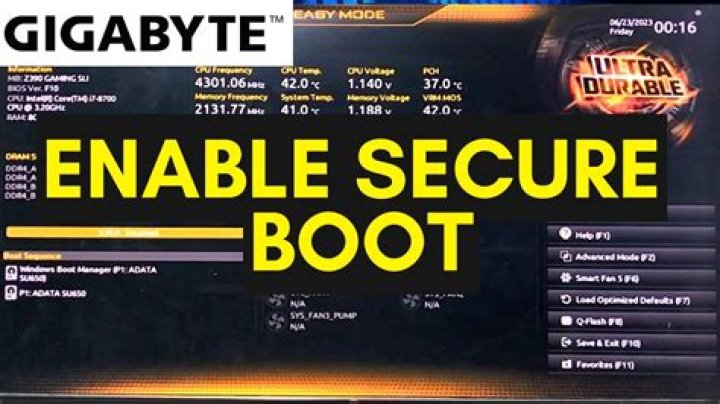
I wanted to upgrade to Windows 11 on my machine which worked perfectly up until now, so I checked the requirements and saw that I needed to enable Secure Boot in order to do so.
Since I have a Gigabyte motherboard (Z370 HD3P to be exact) I needed to first disable CSM, then restarted to apply the changes and when I tried to enable Secure Boot I got a message saying "Secure Boot can be enabled when Platform is in User Mode. Repeat operation after enrolling Platform Key (PM)."
So I went to the Key Management section, then clicked "Platform Key" and chose "update" since that was my only option. Now I was able to enable Secure Boot, however after I hit "save and restart", my PC wasn't able to boot anymore, and instead it made 5 beeping noises and stayed on, but without displaying anything, not even the Gigabyte logo, or the BIOS.
I tried to remove the motherboard battery for one hour, I tried to connect the CLR_CMOS pins together, I tried to use a VGA cable directly to the motherboard instead of my GPU (RTX 2060 SUPER) but nothing worked.
Then, when I tried to disconnect the GPU entirely, the PC did boot normally without making the beeping sounds and it did allow me to go to the BIOS and disable the Secure Boot again, so I could reconnect the GPU and still boot.
However, I did want to enable Secure Boot, so I tried to replace the Initial Display Output in the BIOS, from PCIE-SLOT1 (which is the slot my GPU use), to IGFX and it did allow me to boot even while connecting the GPU and having Secure Boot enabled and without needing to even update the Platform Key, but that's still not the solution I'm looking for.
My BIOS is updated to version 13, and my GPU driver is updated to the latest version, so I have no clue what could cause this issue.
Thanks in advanced
21 Answer
I noticed this problem too, on AMD platforms as well. All motherboards where it occurs are by Gigabyte (coincidence?) too. Still found no solution but to keep a Secure Boot disabled. It is unlikely there is any relation to GPT/disk, since it fails on POST somewhere prior to disk init.
Because those GPU's were pretty old, i did suspect a Secure Boot might require something they don't have... But since you experience the same problem with modern GPU, then it is unlikely the case.
It is highly likely the problem is up to IME/PSP (these "security" subsystems already brought a lot of another problems before). Maybe it is necessary to perform some manipulations with its security keys... I'll keep looking for a solution...
4More in general

"Zoraya ter Beek, age 29, just died by assisted suicide in the Netherlands. She was physically healthy, but psychologically depressed. It's an abomination that an entire society would actively facilitate, even encourage, someone ending their own life because they had no hope. Th…"

