Print jpg's with file names
I have MS Office 2010, Windows Paint. Prefer to print multiple photos on a page with their filenames. Any suggestions?
I am using office computer so I cannot install any software.
03 Answers
If you have Powerpoint installed then do the following:
Open Powerpoint and create a new presentation, delete the 'Click to add title' and 'Click to add subtitle' boxes.
Then, on the ribbon, go to Insert and choose 'Photo Album'. Then click on 'Insert picture from file/disk' and add the images you want to your album. At the bottom of that dialogue box you'll see 'Album Layout', choose 'Picture Layout' and drop it down to '4 pictures with title'. That will enable you to tick the box that says 'Captions below ALL pictures'.
You'll only be able to get 4 images on there but it's better than nothing.
Alternatively, you could set the Photo Album up to import one per slide, selecting "1 per Slide", and "caption below each photo." Then print the PowerPoint to a PDF as a six slides per page handout.
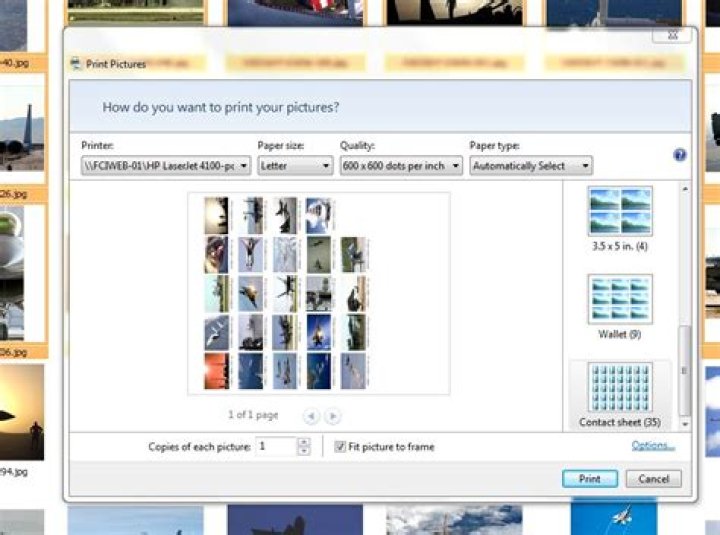
1A quick way to do this is to use Microsoft Picture Manager. You can select the images you want then from the File menu select Print. Choose the Contact Sheet and it will place 35 images per page with file names.
Other than that, you can insert them manually into Word or PowerPoint to have more control how to format it.
1Fastone image viewer is free and does fantastic job at printing any image file with file name. Try it and be happy.In Fastone image viewer select single or multiple file , then go to print , in print go to design and print. At lower bar tick caption . Done . Print and have fun.
2

