Recurring need to run fsck because system won't boot
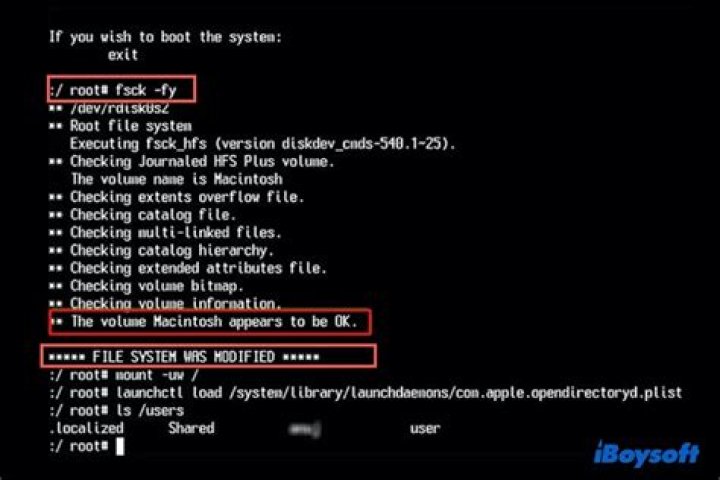
Once in a while my Linux system won't boot and gives filesystem errors. I can "fix" them by booting with a LiveCD and running:
sudo fsck -y /dev/sda1The command says it finds bad blocks and fixes them, then the system will boot again. Does the fact that they keep happening indicate hardware failure, or could there be something else wrong?
I note that when I instead run:
sudo fsck -y /dev/sdaI get these errors:
fsck from util-linux 2.34 [/usr/sbin/fsck.ext2 (1) -- /dev/sda] fsck.ext2 /dev/sda e2fsck 1.45.5 (07-Jan-2020) ext2fs_open2: Bad magic number in super-block fsck.ext2: Superblock invalid, trying backup blocks... fsck.ext2: Bad magic number in super-block while trying to open /dev/sda
The superblock could not be read or does not describe a valid ext2/ext3/ext4 filesystem. If the device is valid and it really contains an ext2/ext3/ext4 filesystem (and not swap or ufs or something else), then the superblock is corrupt, and you might try running e2fsck with an alternate superblock: e2fsck -b 8193 <device> or e2fsck -b 32768 <device>
Found a dos partition table in /dev/sda
Is this because it's invalid to run fsck on the whole disk instead of just one partition, or is there something corrupt on my drive? I've seen many places on the internet giving instructions that run fsck on the whole disk. My disk has only one partition, a Linux ext4 one.
Here is a picture of the Disks application Smart Data & Tests window.
The result of grep -i FPDMA /var/log/syslog* is:
adam>grep -i FPDMA /var/log/syslog*
/var/log/syslog:Sep 21 13:40:19 adam-gregs-better-computer kernel: [ 728.921941] ata3.00: failed command: READ FPDMA QUEUED
/var/log/syslog:Sep 21 13:40:19 adam-gregs-better-computer kernel: [ 729.213899] ata3.00: failed command: READ FPDMA QUEUED
/var/log/syslog:Sep 21 13:40:20 adam-gregs-better-computer kernel: [ 729.373884] ata3.00: failed command: READ FPDMA QUEUED
/var/log/syslog:Sep 21 13:42:40 adam-gregs-better-computer kernel: [ 870.000879] ata3.00: failed command: READ FPDMA QUEUED
/var/log/syslog:Sep 21 13:42:40 adam-gregs-better-computer kernel: [ 870.000904] ata3.00: failed command: READ FPDMA QUEUED
/var/log/syslog:Sep 21 13:43:05 adam-gregs-better-computer kernel: [ 895.312734] ata3.00: failed command: READ FPDMA QUEUED
/var/log/syslog:Sep 21 13:43:05 adam-gregs-better-computer kernel: [ 895.312760] ata3.00: failed command: READ FPDMA QUEUED
/var/log/syslog:Sep 21 13:43:06 adam-gregs-better-computer kernel: [ 895.476760] ata3.00: failed command: READ FPDMA QUEUED
/var/log/syslog:Sep 21 13:43:06 adam-gregs-better-computer kernel: [ 895.640724] ata3.00: failed command: READ FPDMA QUEUED
/var/log/syslog:Sep 21 13:43:49 adam-gregs-better-computer kernel: [ 938.924872] ata3.00: failed command: READ FPDMA QUEUED
/var/log/syslog:Sep 21 13:43:49 adam-gregs-better-computer kernel: [ 938.924901] ata3.00: failed command: READ FPDMA QUEUED
/var/log/syslog:Sep 21 13:43:49 adam-gregs-better-computer kernel: [ 938.924924] ata3.00: failed command: READ FPDMA QUEUED
/var/log/syslog:Sep 21 13:43:49 adam-gregs-better-computer kernel: [ 938.924945] ata3.00: failed command: WRITE FPDMA QUEUED
/var/log/syslog:Sep 21 13:43:53 adam-gregs-better-computer kernel: [ 942.878558] ata3.00: failed command: READ FPDMA QUEUED
/var/log/syslog:Sep 21 13:43:53 adam-gregs-better-computer kernel: [ 942.878583] ata3.00: failed command: READ FPDMA QUEUED
/var/log/syslog.1:Sep 18 08:30:43 adam-gregs-better-computer kernel: [ 33.579255] ata3.00: failed command: READ FPDMA QUEUED2 Answers
To answer your last question first, a fsck is a file system check, not a disk check. You can of course check your whole disk, but fsck will check and possibly repair each file system separately, possibly in parallel.
Encountering bad blocks at each run of fsck does indicate a hardware failure. The contents of a bad block are copied to an available good block, and then the block is marked as "bad", meaning the file system software will no longer use it. So the number of bad blocks on your disk seems to increase. You may want to verify that you have proper backups.
fsck
Let's repair your file system (again)...
- boot to a Ubuntu Live DVD/USB in “Try Ubuntu” mode
- open a
terminalwindow by pressing Ctrl+Alt+T - type
sudo fdisk -l - identify the /dev/sdXX device name for your "Linux Filesystem"
- type
sudo fsck -f /dev/sda1, replacingsdXXwith the number you found earlier - repeat the
fsckcommand if there were errors - type
reboot
Bad blocks and SMART Data
The SMART Data indicates what would normally be a failing HDD. However, we have an SSD that's not too old. We'll look at solving NCQ errors first.
Note: Determine the manufacturer and model # of the SSD, and then visit their web site to check for updated firmware.
Note: Maintain good backups, just in case the SSD is failing.
NCQ errors
grep -i FPDMA /var/log/syslog*
/var/log/syslog:Sep 21 13:40:19 adam-gregs-better-computer kernel: [ 728.921941] ata3.00: failed command: READ FPDMA QUEUED
/var/log/syslog:Sep 21 13:40:19 adam-gregs-better-computer kernel: [ 729.213899] ata3.00: failed command: READ FPDMA QUEUED
Native Command Queuing (NCQ) is an extension of the Serial ATA protocol allowing hard disk drives to internally optimize the order in which received read and write commands are executed.
Edit sudo -H gedit /etc/default/grub and change the following line to include this extra parameter. Then do sudo update-grub to write the changes to disk. Reboot. Monitor hangs/etc., and watch grep -i FPDMA /var/log/syslog* or dmesg for continued error messages.
GRUB_CMDLINE_LINUX_DEFAULT="quiet splash libata.force=noncq"

