Texture Mods (tga files) in Knights of the Old Republic II (Steam)
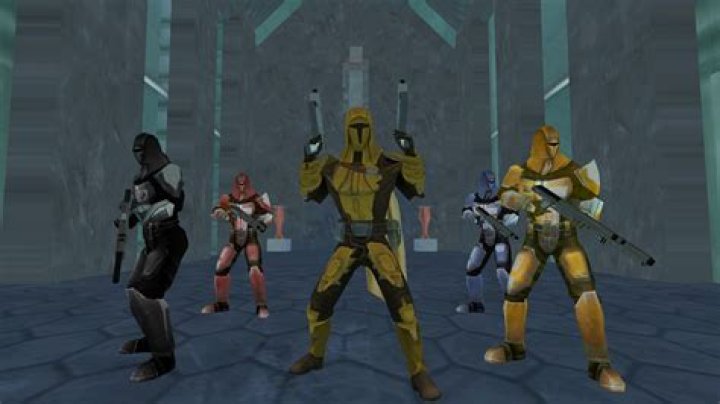
I'm having an issue with replacing textures in KotOR II: TSL. The vanilla game works perfectly on my Ubuntu 17.04, but when I replace the .tga files with those from mods, it all looks very ugly.
Character reskins/recolours are instead completely white, whereas the majority of environment textures are plain black.
This game uses an override folder for replacing textures. Other stuff like TSLRCM works fine. I've tried turning off Grass, V-Sync, Frame Buffer, etc, the stuff that usually causes crashes. No success of course.
The integrity of the .tga textures should be alright, because it worked perfectly on Win10. The textures also display correctly in the override folder.
Any advice on why Ubuntu doesn't want to load those textures would be greatly appreciated.Here is a link to what the stuff I described looks like
1 Answer
I was and kind of still am in the same boat after this fix I found.
But I found a steam post suggesting that if you have TSLRCM installed then you should use the 'override' folder that the mod makes.
Usually located:
(...)\Steam\SteamApps\workshop\content\208580\485537937\override
After I applied this fix I can get most texture replacers and such to work, but for some reason not all.
Sad all the installer scripts are .exe's
I'd honestly rather manually install but I cant seem to make them all work as I said, even if I install in both my 'override' folders.
Successfully installed:
face retexts,
saber blade retxts,
revan robe stuff,
custom item blasters,
hd blaster retexts.
Then I slap in an HK-47 retext and its like just slightly transparent lol, its there but i can see thru him a bit like one of the alpha maps isnt there or something.
Similar situation with hilts but they flicker like they cant read the .tga correctly
Hope this can help someone.
I'm on Mint 18.3 currently also


