The computer didn't automatically boot from USB, [duplicate]
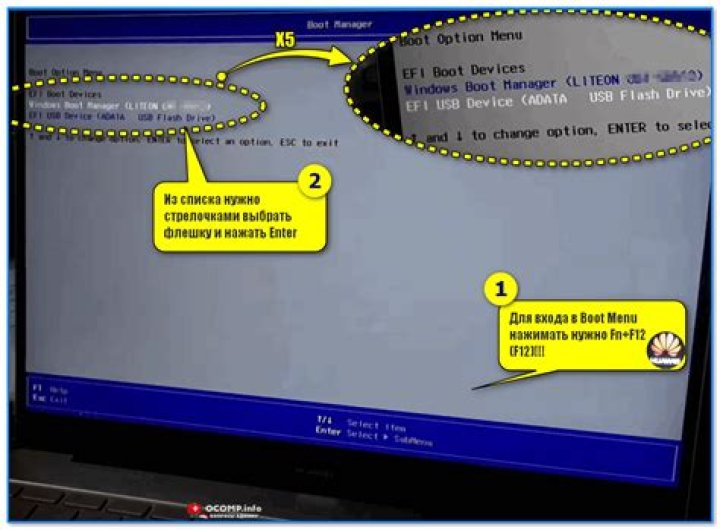
I am new in Ubuntu and created a bootable USB disk first and restarted the PC(with OS Windows8) as recommended in the tutorial. However, the computer didn't automatically boot from USB, no menu box appeared on screen to choose "Try Ubuntu" or "Install Ubuntu", even though I tried holding esc, F12, F10. I appreciate any help!
32 Answers
This article has detailed steps for creating Ubuntu 18.04 Live USB and booting it:
The part you are stuck on now is getting BIOS to boot the Live USB:
Access Boot Menu
To access Boot Menu on your computer you will need to hit different keys (or combination of keys) depending on your computer type. Here is the list of possible keys you may have to press depending on your PC:
| Device | Key Combination | Comment |
|---|---|---|
| Acer | Esc, F12 or F9 | F12 key most likely |
| Apple | ⌥ | the key is also known as Option or Alt |
| Asus | F8 or Esc | |
| Compaq | Esc or F9 | |
| Dell | F12 | |
| eMachines | F12 | |
| Fujitsu | F12 | |
| HP | Esc or F9 | |
| Lenovo | F8, F10 or F12 | Other possibilities: Novo button or Fn + F11 |
| Samsung | Esc or F2 or F12 | For ultrabooks from Samsung disable the fast boot option in BIOS/UEFI. See next section. |
| VAIO | Esc, F10 or F11 | Other possibilities: Assist button |
| Toshiba | F12 |
These are the keys to override the boot priority for a single session. There are other keys for accessing the full BIOS/UEFI menus below.
Access BIOS/UEFI
To access BIOS/UEFI on your computer you will also need to hit different keys (or combination of keys) depending on your computer type. Here is the list of possible keys you may have to press depending on your PC:
Key combinations for accessing BIOS/UEFI Device
| Device | Key Combination | Comment |
|---|---|---|
| Acer | Del or F2 | F2 key most likely |
| Asus | Delet or Del | |
| Compaq | F10 | |
| Dell | F2 | |
| eMachines | Tab or Del | |
| Fujitsu | F2 | |
| HP | Esc, F10, F11 | Other possibilities: on Pavilion - F1 |
| Lenovo | F1 or F2 | Other possibilities: small button next to the Power button (if laptop) |
| Samsung | F2 | For ultrabooks from Samsung if might be F10 |
| VAIO | F1, F2, F3 | Other possibilities: Assist button |
| Toshiba | F1, F2, F12 or Esc |
Have you changed your boot priority in the BIOS? I think you can find the settings you want by changing the priority in the BIOS.
2

