Triple Monitors, Dual Cards, and Openbox problem
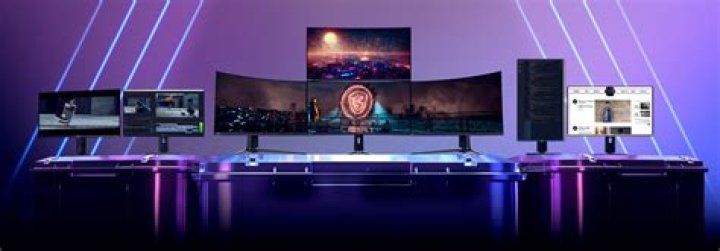
I have a 3 monitor setup on 2 video cards (nvidia and onboard intel) and they all work, however not quite the way I'd like. When it was just the 2 monitors on the nvidia, Openbox would treat them as a single desktop/worksapce but still as separate monitors and allow me to full screen an app on just that one monitor. Now that i have the other card and monitor active (on its own xserver), the 2 nvidia monitors act as a single screen and apps full screen across both. GDM treats each monitor individually (login prompt centers on Screen0, Screen1 has wallpaper, Screen2 is just plain X) but once i get into openbox the nvidia's merge, centering everything between them and the intel behaves as normal. Does anyone have any idea how to retain the dual monitor behaviour for the nvidia screens?
my xorg.conf:
Section "ServerLayout" Identifier "Layout0" Screen 0 "Screen0" 0 0 Screen 1 "Screen1" LeftOf "Screen0" Screen 2 "Screen2" RightOf "Screen0" InputDevice "Keyboard0" "CoreKeyboard" InputDevice "Mouse0" "CorePointer" Option "Xinerama" "0"
EndSection
Section "Files"
EndSection
Section "InputDevice" # generated from default Identifier "Mouse0" Driver "mouse" Option "Protocol" "auto" Option "Device" "/dev/psaux" Option "Emulate3Buttons" "no" Option "ZAxisMapping" "4 5"
EndSection
Section "InputDevice" # generated from default Identifier "Keyboard0" Driver "kbd"
EndSection
Section "Monitor" # HorizSync source: edid, VertRefresh source: edid Identifier "Monitor0" VendorName "Unknown" ModelName "Samsung S24D390" HorizSync 30.0 - 81.0 VertRefresh 50.0 - 75.0 Option "DPMS"
EndSection
Section "Monitor"
# HorizSync 28.0 - 33.0
# VertRefresh 43.0 - 72.0 Identifier "Monitor1" VendorName "Unknown" ModelName "Ancor Communications Inc VX238" Option "DPMS"
EndSection
Section "Monitor"
# HorizSync 28.0 - 33.0
# VertRefresh 43.0 - 72.0 Identifier "Monitor2" VendorName "Unknown" ModelName "Unknown" Option "DPMS"
EndSection
Section "Device" Identifier "Device0" Driver "nvidia" VendorName "NVIDIA Corporation" BoardName "GeForce GTX 750 Ti"
EndSection
Section "Device" Identifier "Device1" Driver "intel" VendorName "Intel Corporation" Option "AccelMethod" "uxa"
# Option "AccelMethod" "sna"
# Option "TearFree" "true" BusID "PCI:0:2:0"
EndSection
Section "Screen" Identifier "Screen0" Device "Device0" Monitor "Monitor0" DefaultDepth 24 Option "Stereo" "0" Option "nvidiaXineramaInfoOrder" "DFP-0" Option "metamodes" "DVI-I-1: nvidia-auto-select +0+0, HDMI-0: nvidia-auto-select +1920+0" Option "MultiGPU" "Off" Option "SLI" "off" Option "BaseMosaic" "off" SubSection "Display" Depth 24 EndSubSection
EndSection
Section "Screen" Identifier "Screen1" Device "Device0" Monitor "Monitor1" DefaultDepth 24 Option "Stereo" "0" Option "nvidiaXineramaInfoOrder" "DFP-1" Option "metamodes" "DVI-I-1: nvidia-auto-select +0+0, HDMI-0: nvidia-auto-select +1920+0" Option "MultiGPU" "Off" Option "SLI" "off" Option "BaseMosaic" "off" SubSection "Display" Depth 24 EndSubSection
EndSection
Section "Screen" Identifier "Screen2" Device "Device1" Monitor "Monitor2" DefaultDepth 24 Option "metamodes" "1920x1080_60_0 +0+0" SubSection "Display" Depth 24 EndSubSection
EndSection
1 Answer
In the attachments you find a working xorg.conf.d : "zaphod mode" = four separate independant screens, working with e.g. twm, fluxbox, xfce.
Unfortunately, latest Openbox x11-wm/openbox-3.6.1 (Gentoo) for me also only opened a working Desktop environment on Screen 0.0 only - 0.1 .. 0.3 remained blank, although "xrandr -q --screen 0.n" delivered correct results.
More in general

"Zoraya ter Beek, age 29, just died by assisted suicide in the Netherlands. She was physically healthy, but psychologically depressed. It's an abomination that an entire society would actively facilitate, even encourage, someone ending their own life because they had no hope. Th…"

