Trying to start minikube using virtualbox driver but getting error (Windows 10 Home)
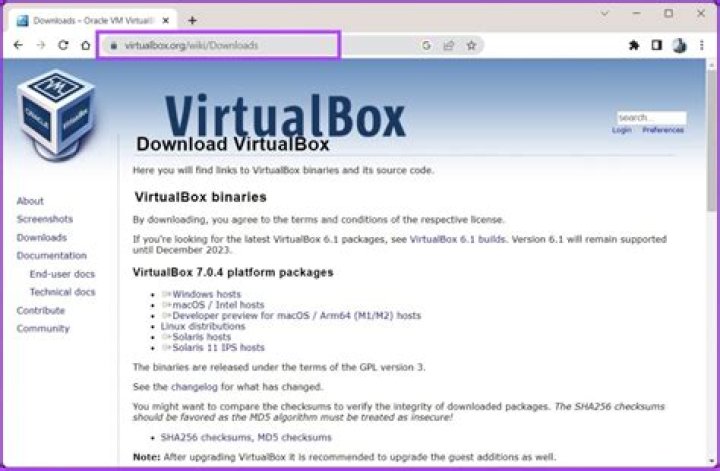
I did below steps:
Installed Ubuntu 18.04 (this was not working until I enabled WSL, so I enabled WSL2)
Installed kubectl and minikube in linux distro
Installed VBox Version 6.1.32 r149290 (Qt5.6.2)on Windows using .exe file available here (CPU virualization is ON, Secure boot system is disabled in BIOS, Virtual Machine Platform and Windows Hypervisor Plaform are unchecked in Control Panel) (Somewhere I read VBox doesn't compatible with WSL2 so I downgraded WSL1)
In Ubuntu terminal ran
$ minikube start --driver=virtualbox got this error
😄 minikube v1.24.0 on Ubuntu 18.04
✨ Using the virtualbox driver based on existing profile
🤷 Exiting due to PROVIDER_VIRTUALBOX_NOT_FOUND: The 'virtualbox' provider was not found: unable to find VBoxManage in $PATH
💡 Suggestion: Install VirtualBox
📘 Documentation:
I ran
$ sudo apt-get install virtualbox After that
$ minikube start
😄 minikube v1.24.0 on Ubuntu 18.04
✨ Using the virtualbox driver based on existing profile
👍 Starting control plane node minikube in cluster minikube
🔥 Creating virtualbox VM (CPUs=2, Memory=2200MB, Disk=20000MB) ...
🤦 StartHost failed, but will try again: creating host: create: precreate: We support Virtualbox starting with version 5. Your VirtualBox install is "WARNING: The character device /dev/vboxdrv does not exist.\n\t Please install the virtualbox-dkms package and the appropriate\n\t headers, most likely linux-headers-Microsoft.\n\n\t You will not be able to start VMs until this problem is fixed.\n5.2.42_Ubuntur137960". Please upgrade at
🔥 Creating virtualbox VM (CPUs=2, Memory=2200MB, Disk=20000MB) ...
😿 Failed to start virtualbox VM. Running "minikube delete" may fix it: creating host: create: precreate: We support Virtualbox starting with version 5. Your VirtualBox install is "WARNING: The character device /dev/vboxdrv does not exist.\n\t Please install the virtualbox-dkms package and the appropriate\n\t headers, most likely linux-headers-Microsoft.\n\n\t You will not be able to start VMs until this problem is fixed.\n5.2.42_Ubuntur137960". Please upgrade at
❌ Exiting due to PR_VBOX_DEVICE_MISSING: Failed to start host: creating host: create: precreate: We support Virtualbox starting with version 5. Your VirtualBox install is "WARNING: The character device /dev/vboxdrv does not exist.\n\t Please install the virtualbox-dkms package and the appropriate\n\t headers, most likely linux-headers-Microsoft.\n\n\t You will not be able to start VMs until this problem is fixed.\n5.2.42_Ubuntur137960". Please upgrade at
💡 Suggestion: Reinstall VirtualBox and reboot. Alternatively, try the kvm2 driver:
🍿 Related issue:
Tried to install linux header $ sudo apt-get install linux-headers-uname -rGot this error
Reading package lists... Done
Building dependency tree
Reading state information... Done
E: Unable to locate package linux-headers-4.4.0-19041-Microsoft
E: Couldn't find any package by glob 'linux-headers-4.4.0-19041-Microsoft'
E: Couldn't find any package by regex 'linux-headers-4.4.0-19041-Microsoft'
I am very new to kubernetes and virtualbox. Please help me and let me know what wrong am I doing? My aim to start minikube using virtualbox driver because the tutorial I am following to learn Kuberenetes, it's using the same tools. Thanks.
Edit: One more thing, I am able to start minikube from windows cmd prompt but not from Ubuntu linux distro. (But want to use linux distro for kubernetes).
Reset to defaultKnow someone who can answer? Share a link to this question via email, Twitter, or Facebook.
More in general

"Zoraya ter Beek, age 29, just died by assisted suicide in the Netherlands. She was physically healthy, but psychologically depressed. It's an abomination that an entire society would actively facilitate, even encourage, someone ending their own life because they had no hope. Th…"

