Ubuntu live world clock app as desktop wallpaper or widget possible?
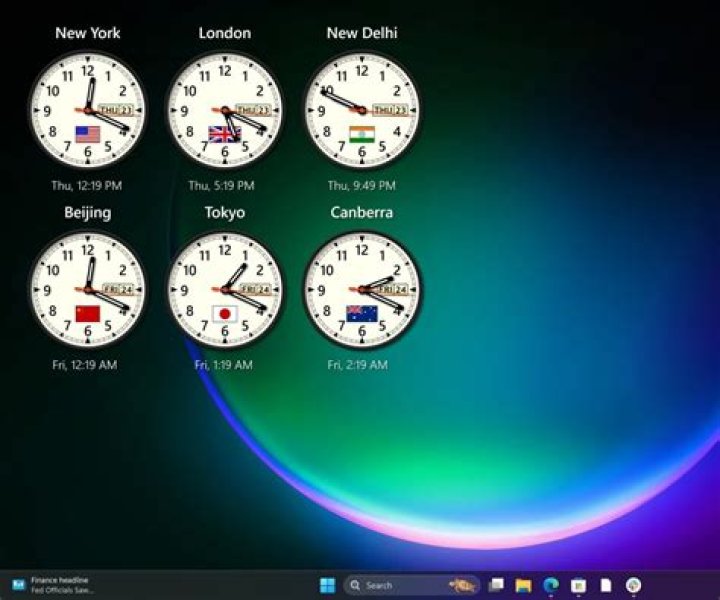
While I work in Germany, some of my colleagues work in India, some in Canada.
Is there a software to run in Ubuntu* and compatible environments so that the background screen displays sort of widget or live wallpaper with a configurable world clock?
If it matters, I have a 4K screen.
*I use Xubuntu 18.04 LTS
91 Answer
Conky can be installed using sudo apt install conky-all.
The following is an example of conky running on Xubuntu 18.04.
As background preparation, I created a blank panel at the top of the screen in addition to my actual panel at the bottom.
I then created ~/.config/conky.conf as a plain text file with the following content:
-- vim: ts=4 sw=4 noet ai cindent syntax=lua
--[[
# Conky, a system monitor, based on torsmo
]]
conky.config = {
-- background = false,
default_color = '222222',
double_buffer = true,
draw_shades = false,
extra_newline = false,
font = 'Ubuntu Mono:bold:size=14',
gap_x = 1,
gap_y = 742,
minimum_width = 500,
own_window_class = 'Conky',
own_window_hints = 'undecorated,above,sticky,skip_pager',
own_window_transparent = yes,
own_window_colour = '454545',
own_window_argb_visual = true,
own_window_argb_value = 150,
own_window = true,
own_window_type = 'desktop',
short_units = true,
text_buffer_size = 256,
update_interval = 2.0,
use_spacer = 'right',
use_xft = true
}
conky.text = [[
${time %a %d %b} IST ${time %H:%M} UTC ${utime %H:%M} EST ${tztime America/New_York %H:%M} CAN_YU ${tztime Canada/Yukon %H:%M}
]]
-- info re. time zones in /usr/share/zoneinfo folder
I also added conky to Xubuntu's autostart menu using Menu > Settings > Session and Startup > Application Autostart as shown in the image. Using --pause=30 delays conky from starting immediately by 30s: it is optional but I use it just as a precaution.
While I can use just conky for conky to run using my ~/.config/conky/conky.conf, using conky -c ~/.config/conky/conky.conf has been found effective in J. Doe's case.
Notes about the conky.conf
- single lines can be commented out using a leading
-- - more than one contiguous lines can be commented out using an opening
--[[and a closing]] default_color = 222222is the text color. Conky doesn't use#222222, just222222.gap_x = 1is the distance from the screen's left edgegap_y = 742positions the conky window pretty close to the top edge and will need to be adjusted according to your screen's dimensionsminimum_widthshould be greater than the width occupied by your contentupdate_interval = 2.0works for me- the
conky.textline specifies your contenttime %a %d %bgenerates the day of the week, the date and the month of your locale as described inman date- the codes after IST, UTC, EST and CAN_YU provide the times for India, universal time, American East Coast time, and Canadian time (in Yukon). Information for other time zones is in the
/usr/share/zoneinfofolder
(I can't make the conky background totally transparent!)
If you want to make changes to your conky.conf, open your terminal and run conky. As you edit and save your conky.conf, the conky window will disappear and reappear to reflect the changes.


