Unable to ping default gateway in guest vm (QEMU/KVM) after upgrading Linux kernel to 4.11
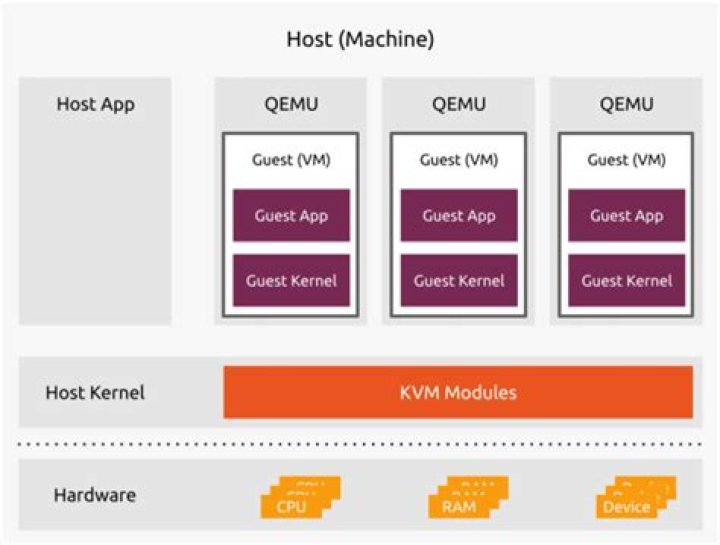
I have a host Ubuntu16.04 and I used QEMU/KVM (3.0.0) to create a Windows guest VM, and networking went smoothly. But I need to enable nested virtualization so I upgraded Linux kernel version to 4.11 (4.11.2-041102-generic), after doing that, the guest VM which runs on KVM cannot reach the host via network, cannot ping default gateway either.
Here is the example:
guest vm ip: 192.168.136.9
br2: 192.168.136.253
br2 Link encap:Ethernet HWaddr 30:0e:d5:c7:0c:e5 inet addr:192.168.136.253 Bcast:192.168.136.255 Mask:255.255.255.0 inet6 addr: fe80::320e:d5ff:fec7:ce5/64 Scope:Link ......This is the network setting of my guest VM:
<interface type='bridge'> <mac address='52:54:00:04:01:d6'/> <source bridge='br2'/> <model type='e1000'/> <address type='pci' domain='0x0000' bus='0x00' slot='0x03' function='0x0'/>
</interface>
And set the guest VM's IP as 192.168.136.9, set gateway as 192.168.136.253:
But, when I tried to ping the gateway in the guest vm ping 192.168.136.253, it shows:
Reply from 192.168.136.9: Destination host unreachable.
From host, I can't ping 192.168.136.9 either.
I don't know how to solve this problem and why. Any help is appreciated!
Below is what I checked before asking this question:
$ cat /proc/sys/net/ipv4/ip_forward -> 1
$ vim /etc/sysctl.conf -> net.ipv4.ip_forward=1
$ systemctl status libvirtd -> active (running)
$ systemctl status libvirt-bin -> active (running)
Env:
Ubuntu 16.04.6 LTS
Linux kernel 4.11.2-041102-generic
QEMU 3.0.0
Libvirtd 1.3.1
Virt-manager 1.3.2
========== Update ==========
I solved this problem by creating another new vm virt-install ... --network network=default, this time it runs perfectly, it can ping to default gateway and host, I meld their config files found that they have different interface type:
<interface type='network'> <mac address='52:54:00:88:d1:87'/> <source network='default'/> <model type='rtl8139'/> <address type='pci' domain='0x0000' bus='0x00' slot='0x03' function='0x0'/>
</interface>
It works now anyway, but I modified the older vm's interface type to network, still doesn't work, weird.
Reset to default

