Unable to ssh into my Jenkins docker instance
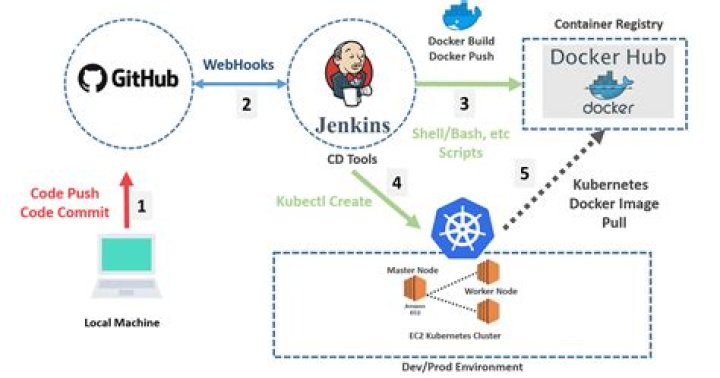
I am trying to use Jenkins Remote CLI to configure my Jenkins server remotely. I am running a jenkinsci/blueocean docker container.
To enabled SSHD on my jenkins server:
1) At : Enabled SSHD Port -> Random enter image description here
2) AT : Added my Public key of local machine enter image description here
After detecting the ssh port using this command:
curl -D- -o/dev/nul -s Trying to ssh from local machine:
ssh -l baymac -p 46653 localhost who-am-iError message:
ssh: connect to host localhost port 46653: Connection refused
Trying to use Jenkins CLI client to ssh into Jenkins server from local machine:
java -jar jenkins-cli.jar -s -i ~/.ssh/id_rsa -ssh -user baymac who-am-iI receive an error message:
Enter passphrase for /home/parichay/.ssh/id_rsa: Mar 24, 2019 6:38:56 AM org.apache.sshd.client.config.hosts.ConfigFileHostEntryResolver reloadHostConfigEntries INFO: resolveEffectiveResolver(baymac@localhost:46653) loaded 1 entries from /home/parichay/.ssh/config org.apache.sshd.common.RuntimeSshException: Failed to get the session. at org.apache.sshd.client.future.DefaultConnectFuture.getSession(DefaultConnectFuture.java:59) at hudson.cli.SSHCLI.sshConnection(SSHCLI.java:104) at hudson.cli.CLI._main(CLI.java:608) at hudson.cli.CLI.main(CLI.java:427) Caused by: java.net.ConnectException: Connection refused at sun.nio.ch.UnixAsynchronousSocketChannelImpl.checkConnect(Native Method) at sun.nio.ch.UnixAsynchronousSocketChannelImpl.finishConnect(UnixAsynchronousSocketChannelImpl.java:252) at sun.nio.ch.UnixAsynchronousSocketChannelImpl.finish(UnixAsynchronousSocketChannelImpl.java:198) at sun.nio.ch.UnixAsynchronousSocketChannelImpl.onEvent(UnixAsynchronousSocketChannelImpl.java:213) at sun.nio.ch.EPollPort$EventHandlerTask.run(EPollPort.java:293) at java.lang.Thread.run(Thread.java:748)
I enter the right passphrase, since I tried to ssh into another device it is working.
Extra information:
I run the docker with the following command:
sudo docker run \ --rm \ -u root \ -p 8080:8080 \ -v jenkins-data:/var/jenkins_home \ -v /var/run/docker.sock:/var/run/docker.sock \ -v "$HOME":/home \ --name jenkins \ Jenkinsci/blueocean HTTP auth works:
java -jar jenkins-cli.jar -s -auth baymac:<api_token> who-am-iMessage:
Authenticated as: baymac Authorities: authenticated
Inside the docker container bash commandline:
docker exec -ti jenkins bashCommand 1:
bash-4.4# netstat -natp | grep sshdMessage"
"NO_OUTPUT"
Command 2
bash-4.4# ps aux | grep sshdMessage:
2280 root 0:00 grep sshd
I am unable to debug this, a pointer to this error would be really helpful. Some suggestions point me to a direction that docker run command should forward the ssh port. I cannot understand how to do it since I chose inside the Jenkins container to run SSH server on random port.


