Wacom Cintiq Express Key Remote not responding - 16.04
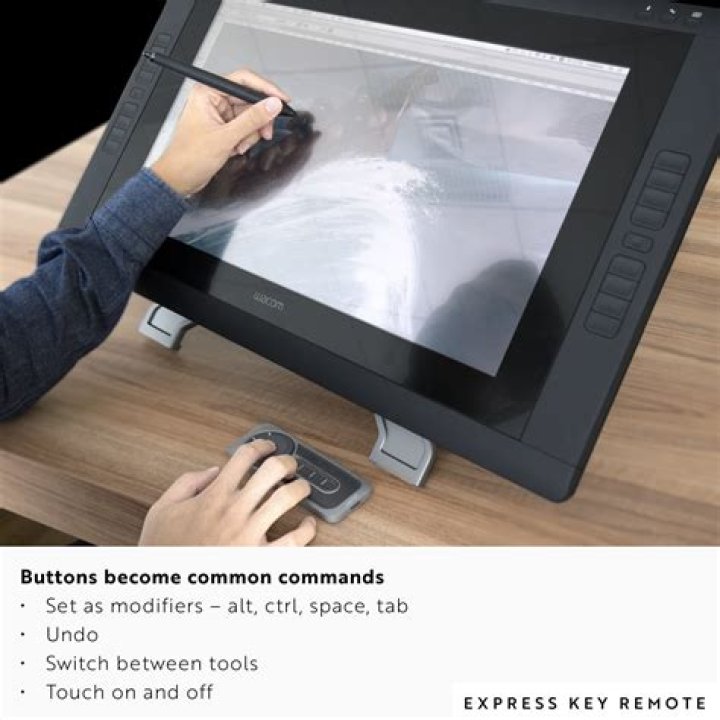
I have a Wacom Cintiq 27HD Touch. My system is 64bit AMD running Ubuntu 16.04/64 .
The keys on the Express Key Remote do not appear to be sending events for me to re-map.
X is recognising it as existing:
xsetwacom list
Wacom Cintiq 27QHD touch Pen stylus id: 9 type: STYLUS
Wacom Express Key Remote Pad pad id: 10 type: PAD
Wacom Cintiq 27QHD touch Finger touch id: 11 type: TOUCH
Wacom Cintiq 27QHD touch Pen eraser id: 15 type: ERASER
@host:/dev/input/by-id# ls -l usb-Wacom_Co._Ltd._ExpressKey_Remote-event-mouse usb-Wacom_Co._Ltd._ExpressKey_Remote-mouse
lrwxrwxrwx 1 root root 10 Oct 9 10:44 usb-Wacom_Co._Ltd._ExpressKey_Remote-event-mouse -> ../event13
lrwxrwxrwx 1 root root 6 Oct 9 10:44 usb-Wacom_Co._Ltd._ExpressKey_Remote-mouse -> ../js1
@host:/dev/input/by-id# ls -l ../event13 ../js1
crw-rw-r-- 1 root input 13, 77 Oct 9 10:44 ../event13
crw-rw-r-- 1 root input 13, 1 Oct 9 10:44 ../js1
Running xev reports no events from the remote, but does record events from the touch screen, stylus, etc.
X recognises the various key attributes:
xsetwacom -s --get "Wacom Express Key Remote Pad pad" "all"
Property 'Wacom Tablet Area' does not exist on device.
xsetwacom set "Wacom Express Key Remote Pad pad" "Button" "1" "key +1 -1 "
xsetwacom set "Wacom Express Key Remote Pad pad" "Button" "2" "+Shift_L +equal -equal -Shift_L "
xsetwacom set "Wacom Express Key Remote Pad pad" "Button" "3" "+3 -3 "
xsetwacom set "Wacom Express Key Remote Pad pad" "Button" "8" "+8 -8 "
xsetwacom set "Wacom Express Key Remote Pad pad" "Button" "9" "+minus -minus "
.
.
.
Property 'Wacom Pressure Recalibration' does not exist on device.
Any suggestions on how to get this to work?
62 Answers
There is a dongle but you might not have noticed it plugged in to a USB port on your Cintiq. It looks like this:
Since you don't have any serial numbers listed in your wacom_remote sysfs directory (
cd /sys; sudo find . -iname "wacom_remote" | xargs ls), I can see that the pairing between your dongle and your remote has been broken. There is a way to unpair the remote from the command line (
sudo echo * > unpair_remotein the wacom_remote directory), but it is unlikely that you did this. If you use multiple remotes, one remote could "pair over" the pairing of the first remote, but I don't know how the pairing gets lost other than these two methods. FYI the remote has the ability to pair with up to 5 remotes.
Anyway to repair your device follow the instructions at this link:
or use google's cache of those instructions:
2Since the links provided by Aaron Skomara are dead, I will give the solution I found on a asian wacom site:
Just connect the remote, place it on the left and press the power switch on it untill it blinks.
Type
xsetwacom listin the terminal and the remote shows up!
More in general

"Zoraya ter Beek, age 29, just died by assisted suicide in the Netherlands. She was physically healthy, but psychologically depressed. It's an abomination that an entire society would actively facilitate, even encourage, someone ending their own life because they had no hope. Th…"

