Wanted to use logitech unifying devices on 2 PC but only 1 receiver unifying working with them
I connected logitech & mouse logitech unifying with my portable pc and it worked. I took the unifying receiver from my portable to put in my home PC. And again everything worked fine. But then when I put another unifying receiver in my portable and tried to use again the keyboard and mouse : nothing works. I wanted to leave a receiver in the portable and the other in my home PC but I can't because only one receiver connects with the logitech devices. Why ? What can I do?
3 Answers
The device can only be paired to a single receiver due to hardware limitations. There is however a workaround in software. As long as the other receiver is not in the proximity of the device, you can trigger a new pairing request.
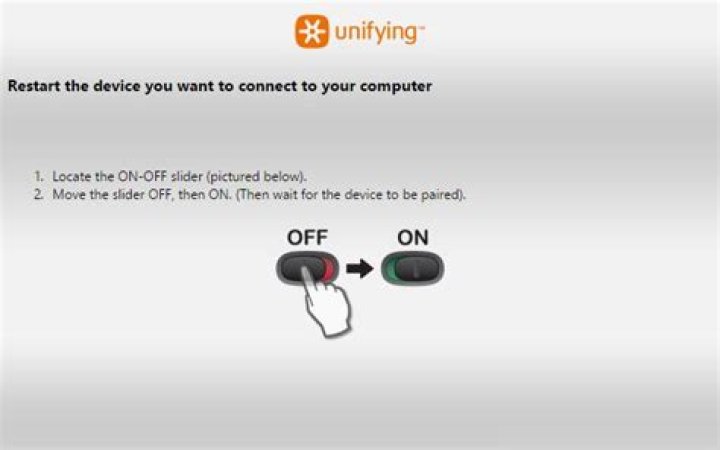
This can be done with the ltunify program or Solaar, but it then requires something to trigger the pairing request. If you have no other button, you could make it trigger on re-inserting the receiver device using the udev rule from this post. After triggering a pairing request you will be able to pair by power cycling the devices.
This is a hardware issue: Logitech wants you to buy as many keyboards/mice as you can, not as many receivers as you can, so the mouse and keyboard pair themselves to one receiver and then refuse to pair to another.
There is an RMA procedure for when the receiver gets lost or broken, but then the mouse and keyboard will be still paired to another receiver.
It would be cool if it worked, I agree, but I'm sorry to be the harbinger of bad news.
1For your information the Logitech Anywhere MX 2 and MX Master have the ability to connect on 3 different dongle (and/or bluetooth system) with a button located under the mouse.
Apparently the pairing information is not saved on receiver in the paired device.


