What's the default 14.04 /etc/default/grub file contents?
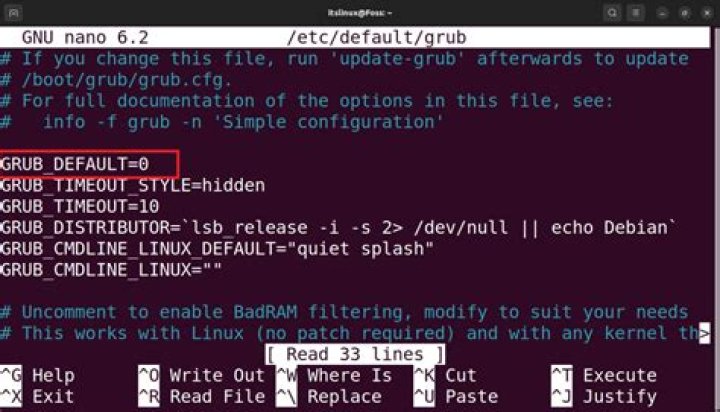
I, like this guy also accidentally whacked my /etc/default/grub file, though I did it by using > instead of >> in a configuration script. The provided answer looks different from what I remember in the 14.04 desktop default grub file...what does it contain?
Teaching to fish...is there some resource/method I could use to find the answer myself without having to do a 14.04 reinstall just to find out?
23 Answers
There is still an answer possible to the part of the question "Teaching to fish...":
... could use to find the answer myself without having to do a 14.04 reinstall just to find out?
I did a search for /etc/default/grub on :
Sorry, your search gave no results
Stripped the first /etc, so the second source package name search is for /default/grub. The results give a hit:
/usr/share/grub/default/grubgrub2-common
Do I have this file still on my Ubuntu machine?
$ sudo ls /usr/share/grub/default/grub
/usr/share/grub/default/grub
or, for example:
$ sudo [ -f /usr/share/grub/default/grub ] && echo Found || echo Not\ found
Found
As a matter of fact, it is there.
And what are its contents?
$ sudo cat /usr/share/grub/default/grub
# If you change this file, run 'update-grub' afterwards to update
# /boot/grub/grub.cfg.
# For full documentation of the options in this file, see:
# info -f grub -n 'Simple configuration'
GRUB_DEFAULT=0
GRUB_HIDDEN_TIMEOUT=0
GRUB_HIDDEN_TIMEOUT_QUIET=true
GRUB_TIMEOUT=10
GRUB_DISTRIBUTOR=`lsb_release -i -s 2> /dev/null || echo Debian`
GRUB_CMDLINE_LINUX_DEFAULT="quiet splash"
GRUB_CMDLINE_LINUX=""
# Uncomment to enable BadRAM filtering, modify to suit your needs
# This works with Linux (no patch required) and with any kernel that obtains
# the memory map information from GRUB (GNU Mach, kernel of FreeBSD ...)
#GRUB_BADRAM="0x01234567,0xfefefefe,0x89abcdef,0xefefefef"
# Uncomment to disable graphical terminal (grub-pc only)
#GRUB_TERMINAL=console
# The resolution used on graphical terminal
# note that you can use only modes which your graphic card supports via VBE
# you can see them in real GRUB with the command `vbeinfo'
#GRUB_GFXMODE=640x480
# Uncomment if you don't want GRUB to pass "root=UUID=xxx" parameter to Linux
#GRUB_DISABLE_LINUX_UUID=true
# Uncomment to disable generation of recovery mode menu entries
#GRUB_DISABLE_RECOVERY="true"
# Uncomment to get a beep at grub start
#GRUB_INIT_TUNE="480 440 1"
As you might have spotted there is one more obvious different line compared to the output from Rinzwind's answer:
#GRUB_HIDDEN_TIMEOUT=0Here you go:
# If you change this file, run 'update-grub' afterwards to update
# /boot/grub/grub.cfg.
# For full documentation of the options in this file, see:
# info -f grub -n 'Simple configuration'
GRUB_DEFAULT=0
#GRUB_HIDDEN_TIMEOUT=0
GRUB_HIDDEN_TIMEOUT_QUIET=true
GRUB_TIMEOUT=10
GRUB_DISTRIBUTOR=`lsb_release -i -s 2> /dev/null || echo Debian`
GRUB_CMDLINE_LINUX_DEFAULT="quiet splash"
GRUB_CMDLINE_LINUX=""
# Uncomment to enable BadRAM filtering, modify to suit your needs
# This works with Linux (no patch required) and with any kernel that obtains
# the memory map information from GRUB (GNU Mach, kernel of FreeBSD ...)
#GRUB_BADRAM="0x01234567,0xfefefefe,0x89abcdef,0xefefefef"
# Uncomment to disable graphical terminal (grub-pc only)
#GRUB_TERMINAL=console
# The resolution used on graphical terminal
# note that you can use only modes which your graphic card supports via VBE
# you can see them in real GRUB with the command `vbeinfo'
#GRUB_GFXMODE=640x480
# Uncomment if you don't want GRUB to pass "root=UUID=xxx" parameter to Linux
#GRUB_DISABLE_LINUX_UUID=true
# Uncomment to disable generation of recovery mode menu entries
#GRUB_DISABLE_RECOVERY="true"
# Uncomment to get a beep at grub start
#GRUB_INIT_TUNE="480 440 1"The file /etc/default/grub belongs to no package, dpkg -S /etc/default/grub and apt-file search /etc/default/grub will both return nothing. However, /etc/default/grub is generated by grub-pc when it is not present. Therefore, in order to recover it (or at least a truly default up-to-date version), it suffices to reinstall grub-pc.
g=/etc/default/grub; [ -f $g ] && mv $g ${g}.bak
apt purge grub-pc
apt install grub-pc
If you can't access the system because you are unable to boot. An option is to chroot in it. Boot with a USB live distro. Then, mount the system under /mnt, rebind special fs, and chroot.
mount /dev/sda2 /mnt
mount /dev/sda1 /mnt/boot
for d in dev proc sys etc/resolv.conf; do mount --rebind /$d /mnt/$d; done
chroot /mnt
And follow the previous instructions.
More in general

"Zoraya ter Beek, age 29, just died by assisted suicide in the Netherlands. She was physically healthy, but psychologically depressed. It's an abomination that an entire society would actively facilitate, even encourage, someone ending their own life because they had no hope. Th…"

