Why can't I SSH in to my Ubuntu VM anymore?
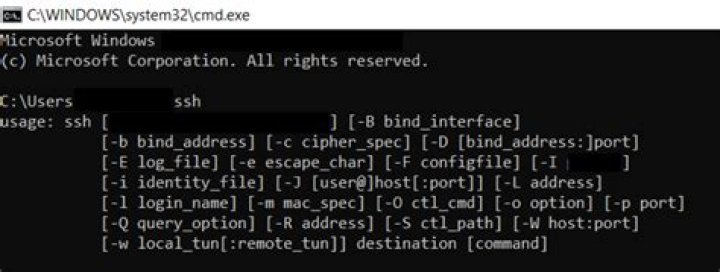
I have a couple Debian based Linux distributions running on VMware Workstation Player on Windows 10. I used to be able to SSH in to the virtual machine from the host machine from a PowerShell or Ubuntu (WSL) terminal without any problem. But lately I have not been able to do so.
First I start the SSH service on the virtual machine.
service ssh startThen I verify that the service is running.
service ssh status
● ssh.service - OpenBSD Secure Shell server Loaded: loaded (/lib/systemd/system/ssh.service; enabled; vendor preset: e> Active: active (running) since Sat 2021-06-26 11:30:42 PDT; 1min 14s ago Docs: man:sshd(8) man:sshd_config(5) Process: 872 ExecStartPre=/usr/sbin/sshd -t (code=exited, status=0/SUCCESS) Main PID: 898 (sshd) Tasks: 1 (limit: 9448) Memory: 2.8M CGroup: / └─898 sshd: /usr/sbin/sshd -D [listener] 0 of 10-100 startups
Jun 26 11:30:42 ubuntu systemd[1]: Starting OpenBSD Secure Shell server...
Jun 26 11:30:42 ubuntu sshd[898]: Server listening on 0.0.0.0 port 22.
Jun 26 11:30:42 ubuntu sshd[898]: Server listening on :: port 22.
Jun 26 11:30:42 ubuntu systemd[1]: Started OpenBSD Secure Shell server.
I verify the IP address.
hostname -I
192.168.75.129
ip addr
1: lo: <LOOPBACK,UP,LOWER_UP> mtu 65536 qdisc noqueue state UNKNOWN group default qlen 1000 link/loopback 00:00:00:00:00:00 brd 00:00:00:00:00:00 inet 127.0.0.1/8 scope host lo valid_lft forever preferred_lft forever inet6 ::1/128 scope host valid_lft forever preferred_lft forever
2: ens33: <BROADCAST,MULTICAST,UP,LOWER_UP> mtu 1500 qdisc fq_codel state UP group default qlen 1000 link/ether 00:0c:29:a0:15:34 brd ff:ff:ff:ff:ff:ff altname enp2s1 inet 192.168.75.129/24 brd 192.168.75.255 scope global dynamic noprefixroute ens33 valid_lft 1714sec preferred_lft 1714sec inet6 fe80::98eb:dd0a:da24:92be/64 scope link noprefixroute valid_lft forever preferred_lft forever
...but Ubuntu on Windows Subsystem for Linux cannot connect.
ssh 192.168.75.129
ssh -vvv 192.168.75.129
OpenSSH_8.2p1 Ubuntu-4ubuntu0.2, OpenSSL 1.1.1f 31 Mar 2020
debug1: Reading configuration data /etc/ssh/ssh_config
debug1: /etc/ssh/ssh_config line 19: include /etc/ssh/ssh_config.d/*.conf matched no files
debug1: /etc/ssh/ssh_config line 21: Applying options for *
debug2: resolve_canonicalize: hostname 192.168.75.129 is address
debug2: ssh_connect_direct
debug1: Connecting to 192.168.75.129 [192.168.75.129] port 22.
debug1: connect to address 192.168.75.129 port 22: Resource temporarily unavailable
ssh: connect to host 192.168.75.129 port 22: Resource temporarily unavailable
...and PowerShell times out.
ssh -vvv 192.168.75.129
OpenSSH_for_Windows_8.1p1, LibreSSL 3.0.2
debug3: Failed to open file:C:/Users/me/.ssh/config error:2
debug3: Failed to open file:C:/ProgramData/ssh/ssh_config error:2
debug2: resolve_canonicalize: hostname 192.168.75.129 is address
debug2: ssh_connect_direct
debug1: Connecting to 192.168.75.129 [192.168.75.129] port 22.
debug3: finish_connect - ERROR: async io completed with error: 10060, io:000001B003450380
debug1: connect to address 192.168.75.129 port 22: Connection timed out
ssh: connect to host 192.168.75.129 port 22: Connection timed out
NMAP returns the following scans.
nmap -Pn -p 22 192.168.75.129
Warning: Nmap may not work correctly on Windows Subsystem for Linux.
For best performance and accuracy, use the native Windows build from
Starting Nmap 7.80 ( ) at 2021-06-26 13:36 CDT
NSOCK ERROR [0.0460s] mksock_bind_device(): Setting of SO_BINDTODEVICE failed (IOD #1): Protocol not available (92)
NSOCK ERROR [0.0470s] mksock_bind_device(): Setting of SO_BINDTODEVICE failed (IOD #2): Protocol not available (92)
NSOCK ERROR [0.0470s] mksock_bind_device(): Setting of SO_BINDTODEVICE failed (IOD #3): Protocol not available (92)
Problem binding to interface , errno: 92
socket_bindtodevice: Protocol not available
Problem binding to interface , errno: 92
socket_bindtodevice: Protocol not available
Nmap scan report for 192.168.75.129
Host is up.
PORT STATE SERVICE
22/tcp filtered ssh
Nmap done: 1 IP address (1 host up) scanned in 2.09 seconds
...and from nmap on Windows.
PS C:\Users\me> cd '\Program Files (x86)\nmap'
PS C:\Program Files (x86)\nmap> ./nmap.exe -Pn -p 22 192.168.75.129
Host discovery disabled (-Pn). All addresses will be marked 'up' and scan times will be slower.
WARNING: Could not import all necessary Npcap functions. You may need to upgrade to the latest version from Resorting to connect() mode -- Nmap may not function completely
Starting Nmap 7.91 ( ) at 2021-06-26 13:36 Central Daylight Time
Nmap scan report for 192.168.75.129
Host is up.
PORT STATE SERVICE
22/tcp filtered ssh
Nmap done: 1 IP address (1 host up) scanned in 2.17 seconds
What am I doing wrong?
113 Answers
The problem must have been with VMware Workstation 16 Player on the host. I reinstalled VMware Workstation and it started working again.
i had your problem, finally i solved it by disabling all vmware network adapters in network and internet setting. so do this:
- go to Control Panel\Network and Internet\Network Connections in windows
- disable all vmware adapters
- enable them again
- test your ssh and ping, enjoy it!
Open window setting:
- Click Network _& Internet.
- Select change network options.
- Disable any VMware network Adapter and Enable them again.
If you don't see anything related to the VMware, I suggest you remove and install your VMware again.


