WiFi is not detecting in compaq presario c700
By David Jones •
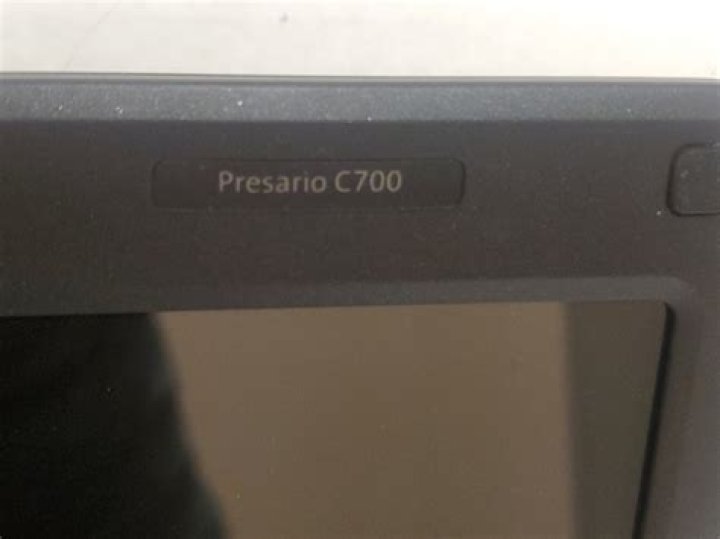
Hi I have a Compaq Presario c700 laptop,I just installed Ubuntu 10.04 in my laptop. My wireless networks are not showing in network manager.
charan@charan-laptop:~$ lspci -nn
00:00.0 Host bridge [0600]: Intel Corporation Mobile PM965/GM965/GL960 Memory Controller Hub [8086:2a00] (rev 03)
00:02.0 VGA compatible controller [0300]: Intel Corporation Mobile GM965/GL960 Integrated Graphics Controller [8086:2a02] (rev 03)
00:02.1 Display controller [0380]: Intel Corporation Mobile GM965/GL960 Integrated Graphics Controller [8086:2a03] (rev 03)
00:1b.0 Audio device [0403]: Intel Corporation 82801H (ICH8 Family) HD Audio Controller [8086:284b] (rev 03)
00:1c.0 PCI bridge [0604]: Intel Corporation 82801H (ICH8 Family) PCI Express Port 1 [8086:283f] (rev 03)
00:1d.0 USB Controller [0c03]: Intel Corporation 82801H (ICH8 Family) USB UHCI Controller #1 [8086:2830] (rev 03)
00:1d.1 USB Controller [0c03]: Intel Corporation 82801H (ICH8 Family) USB UHCI Controller #2 [8086:2831] (rev 03)
00:1d.2 USB Controller [0c03]: Intel Corporation 82801H (ICH8 Family) USB UHCI Controller #3 [8086:2832] (rev 03)
00:1d.7 USB Controller [0c03]: Intel Corporation 82801H (ICH8 Family) USB2 EHCI Controller #1 [8086:2836] (rev 03)
00:1e.0 PCI bridge [0604]: Intel Corporation 82801 Mobile PCI Bridge [8086:2448] (rev f3)
00:1f.0 ISA bridge [0601]: Intel Corporation 82801HEM (ICH8M) LPC Interface Controller [8086:2815] (rev 03)
00:1f.1 IDE interface [0101]: Intel Corporation 82801HBM/HEM (ICH8M/ICH8M-E) IDE Controller [8086:2850] (rev 03)
00:1f.2 SATA controller [0106]: Intel Corporation 82801HBM/HEM (ICH8M/ICH8M-E) SATA AHCI Controller [8086:2829] (rev 03)
00:1f.3 SMBus [0c05]: Intel Corporation 82801H (ICH8 Family) SMBus Controller [8086:283e] (rev 03)
01:00.0 Network controller [0280]: Broadcom Corporation BCM4311 802.11b/g WLAN [14e4:4311] (rev 02)
02:01.0 Ethernet controller [0200]: Realtek Semiconductor Co., Ltd. RTL-8139/8139C/8139C+ [10ec:8139] (rev 10)
what to do after this please let me know...
11 Answer
It's a Broadcom wireless LAN card. Try the following in terminal:
sudo apt-get update
sudo apt-get install bcmwl-kernel-source
This should blacklist the non-working device module in '/etc/modprobe.d/blacklist-bcm43.conf' and install the working one. If you are still having problems, have a look at the community help pages for the broadcom devices.
Desktop support for 10.04 LTS runs out in April next year. You might consider 12.04 LTS because the driver module support may be better, and it will be supported until April 2017.
More in general

"Zoraya ter Beek, age 29, just died by assisted suicide in the Netherlands. She was physically healthy, but psychologically depressed. It's an abomination that an entire society would actively facilitate, even encourage, someone ending their own life because they had no hope. Th…"

