How do I hide chat on minecraft?
I don't want to see offensive messages on public server chat? Is there a way to stop it? I don't want too see strong language!
12 Answers
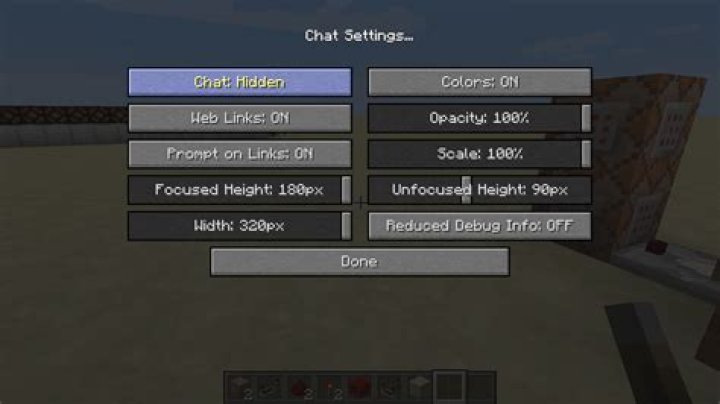
This can be done in the multiplayer settings. Hit escape to bring up the menu, then click Options. On the Options screen, click Multiplayer Settings. Then click the Chat: button to set it either show commands (which could be useful in some instances) or just be hidden. And you're done. New chat messages from other players won't be shown to you. Note that you won't be able to chat either.
Go to "Settings" -> "Multiplayer settings" and click on "Chat shown". You can set it to commands only or fully hidden. I would recommend you to set it to "Commands only", since you can still type commands. Also, some servers allow you to ignore players by doing "/ignore ". That can also be useful.